
DigitalPurse card review: a virtual crypto card that keeps things simple, but the fine print leaves a lot unsaid
 Available in US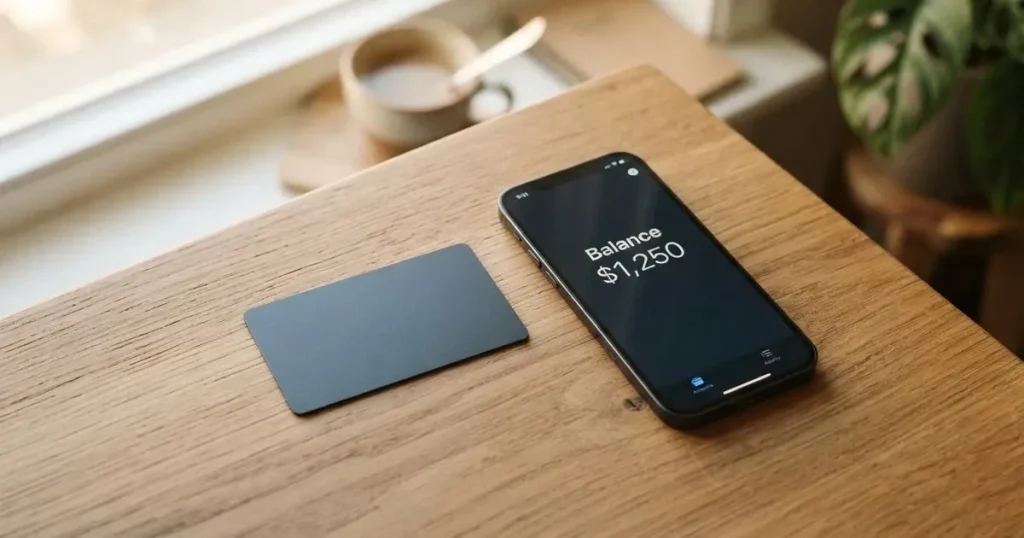
DigitalPurse sells itself as a fast, privacy-friendly virtual card that you load with crypto and spend through your phone. The pitch is simple, and so is the experience: download the app, create a card, send Bitcoin or a stablecoin, and the balance shows up in dollars ready to tap at checkout. If you have struggled to get an ordinary bank card, or you simply want a prepaid Visa/Mastercard-style number that does not require a long paperwork trail, the idea has obvious appeal. The reality, though, is murkier than the marketing. The company does not publish a country list, does not name its card issuer, and writes its fee structure in the app rather than on its website. That is the trade-off this review explores: where DigitalPurse fits, where it does not, and what you should check before you put real money on it.
Conditions are current as of October 28, 2026.
Verdict: a 5.8 out of 10 for a privacy-leaning virtual card with a thin public footprint
The overall score reflects a card that is easy to start using and accepts the cryptocurrencies most people already hold, but that does not tell you enough about itself for you to plan around it. The breakdown below shows where the marks come from.

| Criterion | Score | Reason |
|---|---|---|
| Who can get it | 6 / 10 | No country list, no citizenship or residency restrictions published, issuing region not disclosed |
| Cost | 5 / 10 | No fees published on the site; shown only in the app; unofficial sources disagree on amounts |
| Top-up options | 7 / 10 | Bitcoin, Litecoin, Monero, Ethereum, USDT, USDC accepted; no extra fee for stablecoins |
| Reliability and complaints | 6 / 10 | Issuer unnamed, platform not a bank, no chargebacks; Trustpilot 4.8/5 from 232 reviews, with complaints about declines at Google Cloud, Azure and DigitalOcean |
| Everyday use | 5 / 10 | Virtual only, Apple Pay/Google Pay/Samsung Pay supported, ATM use not permitted |
| Total | 5.8 / 10 |
Who this suits: someone who wants a quick anonymous-style virtual card funded with crypto, is comfortable topping up with stablecoins, and does not need a physical card or cash access. Who should look elsewhere: anyone who needs published fees, a named issuer, chargeback protection, ATM withdrawals, or a card that works in a specific country with a clear list of where it is supported.
Will they give you the card
The honest answer to “who can get a DigitalPurse card?” is that the company does not say. The home page asks you to download the app and create an account; the terms require you to be at least 18 and limit you to one personal account, but that is the extent of the published rules. There is no list of supported countries, no list of excluded countries, and no statement of where the card is issued. You are not told whether your citizenship or country of residence matters, only that you must confirm you can lawfully use the service.
In practice this means a few things. You will not know whether the card will work in your country until you try to load it. You will not know whether the company will refuse to issue you a card based on where your ID is from, because the policy is not written down. And you will not be able to compare the card’s coverage with another provider’s by reading two web pages side by side, because the comparable page simply does not exist here. The card is, in effect, available “to anyone who can download the app and is not blocked by an unpublished rule.” That is not a unique position in the crypto card world, but it is a thin one if you are the kind of person who likes to read the rules before signing up.
How to get it
Sign-up is short. You download the DigitalPurse app, create an account, and follow the prompts to create a virtual card. The app and a Telegram bot are the two official entry points; both can issue a card “instantly” or up to 24 hours later, according to the help center. There is no physical card to wait for, no shipping address to confirm, and no plastic to activate.
The KYC question is the one that catches people out. The home page does not require identity documents to create an account. The terms say KYC “may” be required for some payments or products, and that unverified users have daily and monthly order caps, but neither the caps nor the documents that would be requested are published. The platform also sells a non-KYC card at a higher price, framed as a privacy option, while reloadable KYC cards are the cheaper default. The help center has an article titled “Why is my KYC verification still pending?” which suggests pending verifications do happen, but the reasons for delay and the grounds for rejection are not stated.
For someone whose whole reason for picking a crypto card is to avoid a paperwork-heavy bank onboarding, this is a plus: you can have a card number in minutes. For someone who wants to know exactly which documents to send and how long a review takes, this is a minus: you cannot prepare. The takeaway is that you should treat your first month with DigitalPurse as a test. Load a small amount, make a few small purchases, and see whether any of those triggers a KYC request or a limit that surprises you, before you commit larger sums.
What it really costs
This is the section most readers care about, and the one DigitalPurse treats least transparently. The terms say purchases “may be subject to handling fees” and that amounts are “detailed in the specific terms” of each product. The website does not publish a fee schedule. The official line is that card creation and top-up fees are displayed in the card description inside the app during creation, and that they scale with the amount on privacy cards, with possible extra fees for non-fiat payment methods. None of this is in a form you can read before you start the sign-up flow.
Unofficial sources disagree. An App Store reviewer reports a $3 charge for a virtual card and a $6 minimum balance, while the third-party comparison site cryptocards.so lists issuance, top-up and the monthly fee as free. On top of that, the third-party site also claims spending limits are “unlimited,” even though the platform itself does not publish limits. The conservative reading is that the platform reserves the right to charge what its app shows, that you will not know what you are paying until that moment, and that you should not rely on any figure you read in a review or a comparison site without checking it yourself in the app.
The card balance is held in USD, and the FAQ states that any other fiat is converted to USD the moment it is loaded. The spread or fee that applies when you pay in a non-USD currency is not stated. ATM use is not permitted at all: the terms list manual and automated cash disbursements among prohibited purchases, and the official line is that “ATM withdrawals are considered a ‘transfer of value’ and are not permitted.”
Costs at a glance
| Fee or limit | Amount |
|---|---|
| Issuance | Not published on the site; shown in the app; unofficial sources cite $3 |
| Monthly fee | Not published on the site; cryptocards.so lists as free |
| Conversion | Not published; spread on non-USD spending not stated |
| Foreign exchange (FX) | Not published |
| ATM withdrawal | Not permitted |
| Starting balance | Up to $1,000–$10,000 (virtual) |
| Daily / monthly limits | Not published; scale with verification level |
Three everyday payments
Coffee in your home currency, say 5 USD. You are paying in the card’s base currency, so the only fee that could apply is a handling fee shown in the app, and whatever spread the platform takes when it converted your crypto into the balance. The amounts are not published, which is the point: you would need to check the app to know.
A 40 EUR online subscription. Your USD balance is converted to EUR at the point of sale. The FX spread is not stated, and there is no published percentage. If the merchant runs an address-verification or 3-D Secure check, your payment could be declined even with funds available; see the everyday use section below.
A typical in-store payment via Apple Pay or Google Pay. This is the use case the card is built for, and the cost is whatever the in-app fee schedule shows. The unofficial reports of cards being declined at Google Cloud, Azure and DigitalOcean apply to card-not-present merchants that block prepaid BIN ranges, not to a contactless coffee shop.
How to top up DigitalPurse
DigitalPurse accepts Bitcoin, Litecoin, Monero, Ethereum, USDT and USDC. The specific blockchain networks on which the platform expects to receive each coin are not published. That matters: a USDT transfer on the wrong network can be lost, and stablecoin support is uneven across chains. The platform’s own guidance is to use USDT, USDC, bank transfer or mobile money to avoid extra charges, while Bitcoin, Ethereum, Litecoin and Monero “may cost more” because of volatility and processing. That phrasing suggests a markup or spread, not a published percentage.
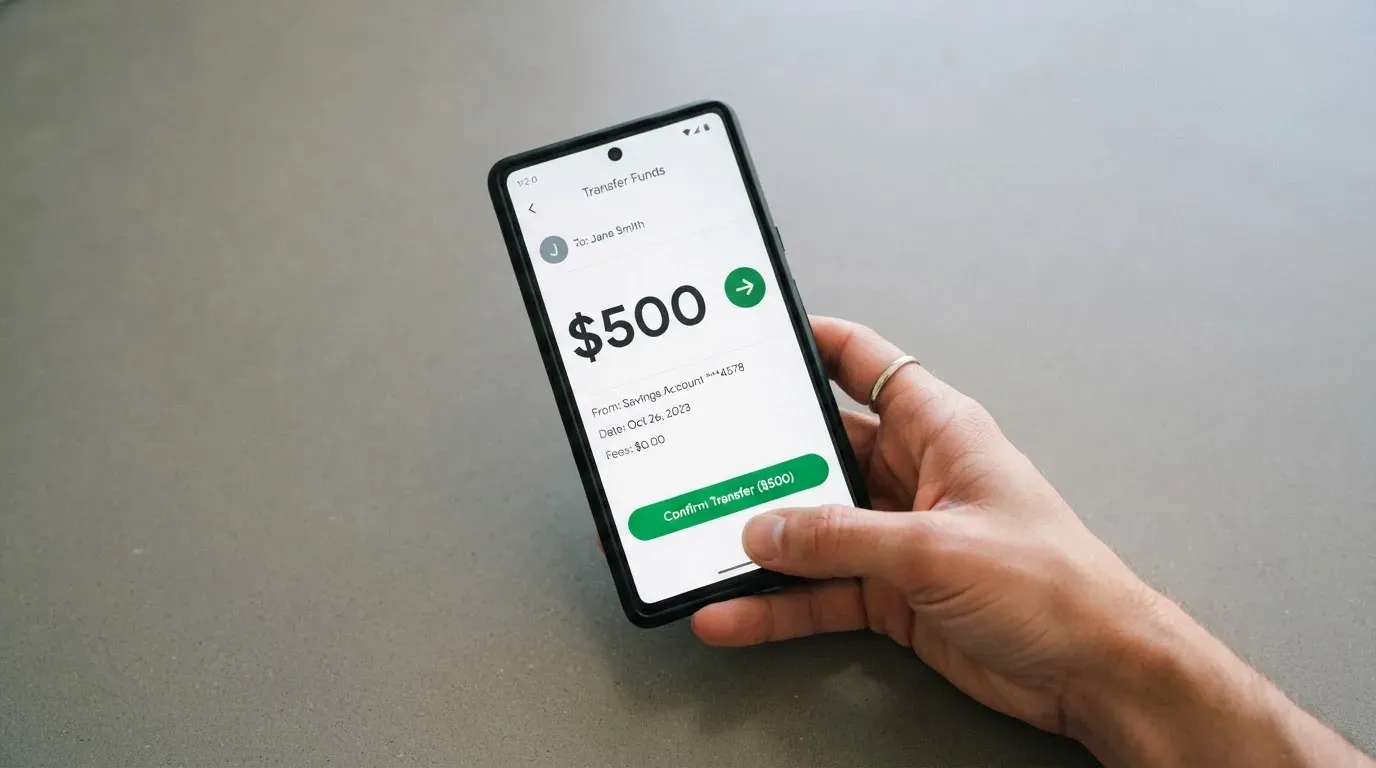
Reloadable cards have an “Add Funds” flow in the app. Non-reloadable cards cannot be topped up; you buy as many as you want at the point of creation. The minimum top-up is not stated, and the fees are shown inside the app. The help center also describes a withdrawal path: select the active card, go to “More” or “Manage,” and choose “Withdraw Funds.” The FAQ confirms that you can withdraw, but it does not say what fee applies, how long it takes, where the money can be sent, or what happens to the balance if you close the card. ATM withdrawals are not permitted, treated by the company as a “transfer of value.”
For a first top-up, the safest approach is small and stable: send USDC or USDT on a network you have used before, confirm the credit in the app, and only then size up. Do not send a large Bitcoin transfer before you have seen a small one land correctly. And keep a record of the transaction ID; blockchain transfers are irreversible, and a typo in a network or address has no built-in recovery.
Paying with it every day
In-store, the card is meant to live inside your phone. The site says cards work at merchants that support Apple Pay, Google Pay or Samsung Pay, and that is how a virtual card turns into something you can tap on a terminal. Online, you type in the card number the way you would for any other Visa or Mastercard-style product. The card network itself is not stated, which is unusual; most competitors publish “Visa” or “Mastercard” on the first screen. You will not know which one you have until the card is issued.
Prohibited purchases, drawn from the terms and described as a non-exhaustive list, cover betting and casino gambling, government-licensed online casinos, non-sport internet gaming, dating and escort services, security brokers and dealers, foreign or non-fiat currency, wires and money orders, and cash disbursements. The list is broader than what some banks apply, and the dating-services entry in particular is worth noting if you use subscription platforms that route through such MCCs.
There is no published rewards or cashback programme. The app is available on iOS and Android, with download links that point to the company’s own engineering subdomains rather than to the official stores; unofficial app store ratings cluster around 4.5 to 4.7 stars, with several thousand ratings on iOS and roughly 170 reviews at a 4.6 average on Android, but those numbers are not confirmed on the official site.
One practical point on disputes. The company says it “cannot support chargebacks,” citing fraud, blockchain finality and the privacy model, and the same policy applies to sub-issuers. The FAQ says returned items are refunded to the original card, and the help center has articles on refunds not arriving, double charges, and the merchant-declined-but-took-money scenario. Gift-code orders carry an explicit no-returns, no-refunds rule. There are no published dispute time frames. If you rely on chargeback rights on a regular bank card, you are giving them up here.
What can go wrong
The two failure modes that come up most often in third-party reports are declines and balance lock-in. Cards get declined at Google Cloud, Azure and DigitalOcean, which third-party aggregators attribute to prepaid BIN blocking. If your work depends on paying a hyperscaler, this card is not for you. Smaller declines can also come from address verification: AVS is mainly available in the US, Canada and the UK, and a foreign-issued BIN can fail the check, leaving an authorisation hold on the balance for several days. A tokenised Apple Pay or Google Pay tap usually side-steps this, which is one reason the platform pushes mobile wallet use.
Balance lock-in is the other concern. There is no chargeback, no published dispute process, no timeline for refunds, and a no-refunds rule on gift-code orders. If a merchant takes your money and does not deliver, your practical remedy is the merchant’s own support, not your card issuer. Withdrawals are possible but unpublished in cost and timing. And the company reserves the right to require KYC for some payments or products, with no stated grounds for rejection.
The company behind the card is Declassic Technologies LLC, and the platform says it is “a technology platform, not a bank,” with services “may be facilitated by third-party licensed financial institutions.” The issuer is not named, the registration country is not stated, and the licences are not listed. Security is described in general terms: “secure encryption, minimal data collection, and strict access controls,” plus in-app freeze, 2FA and the ability to cap the amount loaded onto a card. Insurance is not stated, and the platform is custodial by nature, so the funds on the card sit with the company and its sub-issuers.
On Trustpilot, the brand scores 4.8 out of 5 from 232 reviews, with 60 in the last twelve months, the most recent read on 19 October 2026. The visible reviews are mostly positive. Recurring complaints, drawn from a third-party aggregator and an App Store reviewer, cover declined cards at the hyperscalers, non-refundable balances and extra charges on small cards, with support both praised and criticised. No dated licence, issuer or programme event was found on the official site or help center, and the help articles on non-reloadable cards and chargebacks that exist in 2025–2026 are not dated, so there is no news timeline to track.
Support runs 24/7 in the sense that the in-app support system, the Telegram bot at t.me/digitalpurse_bot, the help center (helpcenter.digitalpurse.io/en, 29 articles in English) and a support email for failed purchases are all available. “24/7” here means the channels are open, not that a human will respond inside a stated time. There is no published SLA.
What to take instead
If the gaps above matter to you, the table below compares three alternatives. None of them is a perfect substitute: the first is broader geographically, the second is regional and the third is more transparent on fees. Each has its own trade-offs.
| Card | Score | Countries | Card type | Cost highlights | Funding |
|---|---|---|---|---|---|
| Cardex | 5.6 / 10 | 200+ (no exclusions list) | Debit, virtual and physical, Naira | Cost not stated; FX at an “AI-powered” real-time rate | USDT, USDC, BTC |
| TakeCard | 5.5 / 10 | Virtual widely; physical Bolivia only | Virtual and physical (Bolivia), USD prepaid, Visa | Virtual $5; physical (Bolivia) $20 + $20 shipping; 1% per purchase | Takenos balance, USDC/USDT on Polygon, BNB, Tron, Ethereum |
| OkiCard | 6.0 / 10 | 150+ (some pages say 200+) | Virtual, USD/EUR; physical mentioned | Issuance $0, monthly $0, starting price $15; load fee 3%, transaction fee 0% | USDT on BSC, Ethereum, Tron, Solana; USDC “soon” |
Cardex sells a single crypto card across 200-plus countries and supports Verve, Visa, Mastercard and UnionPay on virtual and physical form factors, with the App Store listing framed around Nigerian Naira. Pricing is not published and the real-time conversion mechanism is described as AI-driven; the third-party data does not give you a fee to plan around.
TakeCard is more concrete on cost: $5 for a virtual card, $20 plus $20 shipping for a physical card in Bolivia, and a 1% commission per purchase with USD payments at a 1:1 rate. The physical card is Bolivia-only for now, and one article in the same help center quotes $10 for physical shipping, which conflicts with the $20 figure. Top-ups come from your Takenos balance, which is funded with USDC or USDT across several chains.
OkiCard is the most transparent of the three on fees: $0 issuance, $0 monthly, a $15 starting price for a virtual card, a 3% load fee and a 0% transaction fee in USD, with an “initial deposit 100 USDT.” The platform says it has no hidden exchange spreads, though an FX fee for non-USD spending is not stated. Funding is USDT on BSC, Ethereum, Tron and Solana, with USDC and Bitcoin “coming soon.”
Who I would recommend it to
I would recommend DigitalPurse to a reader who wants a quick, privacy-leaning virtual card for online and in-store spending, who is comfortable topping up with USDT or USDC, who does not need a physical card, who does not need cash from an ATM, and who can absorb the published-fees gap by treating the first month as a test. I would not recommend it to a reader who needs published fee percentages, a named issuer, chargeback protection, a card that works reliably at cloud providers, or a country list they can read before signing up. If any of those last items are deal-breakers, take a look at OkiCard for transparent fees, TakeCard for a Bolivian physical option, or Cardex for a broader network footprint.
Frequently asked questions
What is the DigitalPurse card?
A prepaid virtual card you fund with crypto and spend through Apple Pay, Google Pay or Samsung Pay, or online by entering the card number. There is no physical card and no ATM use.
How does the DigitalPurse card work?
You create a card in the app or via the Telegram bot, send Bitcoin, Litecoin, Monero, Ethereum, USDT or USDC to the address shown, and the balance lands in USD. The card then behaves like a prepaid card at checkout.
Is DigitalPurse a bank?
No. The platform describes itself as a technology platform, not a bank, and says its services may be facilitated by third-party licensed financial institutions. The issuer is not named.
Who owns DigitalPurse?
The site footer credits Declassic Technologies LLC. The registration country and licences are not stated on the public pages.
Is the DigitalPurse card available in my country?
The company does not publish a list of supported or excluded countries. The only published rule is that you must be at least 18 and able to use the service lawfully. Practically, you find out by trying.
Does the DigitalPurse card require KYC?
Not to create an account or a card, in the default flow. KYC “may” be required for some payments or products, and the platform also sells a non-KYC card at a higher price. Documents requested and processing times are not published.
How do I top up the DigitalPurse card?
Open the app, select your reloadable card, choose “Add Funds,” and send one of the supported coins to the address shown. The specific blockchain networks are not published, and the platform recommends USDT, USDC, bank transfer or mobile money to avoid extra charges.
How do I add the DigitalPurse card to Apple Wallet?
The card is designed to work inside Apple Pay, Google Pay and Samsung Pay. The exact add-to-wallet steps are not in the help center articles I read, so the in-app prompt after card creation is the most reliable guide.
Is the DigitalPurse card safe?
The platform uses secure encryption, in-app freeze, 2FA, and the ability to cap how much you load. It does not support chargebacks, and funds sit with the company and its sub-issuers in a custodial model.
How do I delete my DigitalPurse account?
The help center does not publish a delete-account flow in the articles I read, and the treatment of any remaining balance on closure is not stated. Contact support in the app or via the Telegram bot for the current process.
Virtual cards for online use – cryptocardselect
Content created by the «cryptocardselect» team