
A virtual Visa card for Thera payroll users in Latin America
 Available in US
The Thera Wallet card is a virtual Visa that pulls from a USDC or USDT balance held in Thera’s own wallet, and the big caveat sits right at the top: the card is only offered to people who are paid through Thera’s payroll service. If you are not on a Thera payroll — as an employee or contractor — you cannot walk up to the product, sign up, and start spending. That single fact shapes the entire review, because the score below reflects a card that is genuinely useful for its narrow audience and almost useless outside it.
I spent time going through Thera’s own pages, the public KYC walkthrough, and the user feedback that has accumulated on Trustpilot, then checked each fee, limit and country against what the company actually publishes. What follows is a card-by-card look at what the Thera Wallet card does, what it costs, where you can use it, and where the gaps are.
Conditions in this review are current as of October 28, 2026.
Verdict
The Thera Wallet card lands at 4.9 out of 10, and that score is the average of five different criteria, not a single judgement. The reason it sits below the middle is not that the product is broken — Trustpilot users give it 4.7 stars across 100 reviews — but that the card is restricted in two ways that hurt its score hard. First, it is virtual-only and online-only, so it cannot replace an everyday physical debit card. Second, the card is reserved for Thera payroll recipients, which means it is not a retail product. If you do not get paid through Thera, the score is academic.
| Criterion | Score | Why |
|---|---|---|
| Who can get it | 3 / 10 | Card is available in 10 countries and only to Thera payroll recipients; not a general retail product |
| Cost | 5 / 10 | Issuance and most fees are not stated publicly; foreign transactions “may incur FX fees” with no figure |
| Top-up options | 6 / 10 | Internal transfer from a Thera account to the wallet, then to the card in 5–10 minutes; only USDC and USDT on Ethereum and Tron |
| Reliability and complaints | 6 / 10 | Trustpilot rating is high (4.7 from 100 reviews), but the legal entity and card issuer are not named, and at least one user reports a completed withdrawal that never arrived |
| Everyday use | 5 / 10 | Virtual Visa, works with Apple Pay and Google Pay, but only online — no in-store purchases, no ATM access, physical card planned |
For the person the card was built for — a freelancer or contractor in Latin America who is paid through Thera and wants a way to spend that balance online without manually converting and withdrawing crypto — the card does the job. For anyone else, the answer is to look at one of the alternatives in the section further down.
Who will they give you the card
The single most important fact about the Thera Wallet card is who it is for. Thera’s own pages state that availability is based on local banking and regulatory availability, and the card is offered to people paid through Thera payroll (employees and contractors). It is not positioned as a general retail card, and there is no way to sign up and pay a deposit to get one in the way you can with most crypto cards.
The geographic footprint is also narrow. Thera confirms card support in ten countries: Argentina, Bolivia, Brazil, Colombia, the Dominican Republic, Ecuador, Guatemala, Mexico, Peru and the United States. Every other country is, for the moment, excluded. If you live somewhere else, the card is simply not available to you.
For readers in those ten countries, the next question is whether your work relationship with Thera is the kind that counts. The card shows up inside the Thera app under Payroll > Wallet, which is a strong signal that it is unlocked only after an employer or payroll client has routed pay through Thera. A retail user who downloaded the app to try the card out will not find a way in.
Identity and KYC
Thera runs identity verification through a partner called AiPrise, and the flow is mobile-only via a QR code. The KYC guide lists the accepted documents: a driver’s licence, a resident ID, a voter ID, a national ID or a passport. You provide the document type and issuing country, photos of the front and back, and then a selfie. The result is either “Verified” or “Declined”.
Two tax forms are also part of the process before withdrawals: W-8BEN or W-8BEN-E for non-US residents, and W-9 for US tax residents. The card section itself does not state a minimum age, a required proof of address or any other document, and standard review times are described as a few minutes, with 24–48 hours if extra checks are needed. The reasons for rejection are not listed, so a declined applicant has no published list to work against.
The practical effect is that anyone who is already on a Thera payroll should be able to clear KYC without too much trouble, as long as their ID is in good order. The mobile-only flow is the only friction, and the fact that the verification can be redone or escalated within 48 hours is a useful safety net.
How to get it
If you are in the right country and on a Thera payroll, the path from “I do not have a card” to “I am paying with it” is short but it has its own structure.
- Confirm you are paid through Thera payroll as an employee or contractor.
- Download the Thera app and complete AiPrise identity verification via the QR code flow.
- Submit the relevant tax form (W-8BEN / W-8BEN-E or W-9) before any withdrawal.
- Create your wallet under Payroll > Wallet. Approval “typically takes a few business days” — that is Thera’s own wording.
- Receive your virtual Visa in the app. There is no physical card yet, though one is planned.
Because the card is virtual-only for now, there is no delivery step and no shipping fee to think about. Your card number, expiry and CVV are surfaced inside the Wallet section, and Thera’s UI auto-hides them when you navigate away. Apple Pay and Google Pay are added through the card settings — that is part of the daily-use story further down.
If any of those steps are not available to you — if the Payroll tab is empty, if your country is not on the list, if you are a freelancer outside Thera’s client base — the card simply does not exist for you. This is not a card you can apply for on its own.
Fees: what it really costs
The honest answer to “what does the Thera Wallet card cost?” is that Thera does not publish most of the numbers. The card’s pricing page does not state an issuance fee, a monthly fee, an ATM fee, a card spending limit, a crypto conversion fee or a card currency. The one cost-related line in the public materials is that “foreign transactions may incur foreign exchange (FX) fees”, with no figure attached. That is the cost section, and it is thin.
What is published in the surrounding flow: the wallet holds USDC and USDT, the payroll balance sits in USD, and withdrawals are capped at 10 in any rolling 30-day period. There is no published list of accepted networks beyond Ethereum and Tron for payouts, no minimum top-up, no minimum withdrawal, no published fee for adding funds, and no published fee for sending USDC or USDT out to an external address.
| Fee or limit | What Thera says |
|---|---|
| Card issuance | not stated |
| Monthly fee | not stated |
| Crypto conversion fee | not stated |
| Foreign exchange (FX) fee | “may incur” — no figure |
| ATM fee | not stated (card cannot be used in-store; cash is not addressed) |
| Card spending limits | not stated |
| Withdrawal limit | 10 withdrawals per rolling 30-day period |
| Accepted network for wallet payouts | USDC and USDT on Ethereum and Tron only |
Three everyday payments, walked through, are the best way to make this concrete.
A US-based Thera payroll user paying a US-based online merchant. The card balance is funded from USDC converted against a USD payroll balance, so there is no FX in the strict sense. The crypto conversion fee is not stated, and there is no published card spending limit. In practice, the user pays whatever fee Thera applies at the moment of conversion plus the network’s gas fee on the inbound USDC transfer — and Thera does not list that crypto conversion fee.
A Mexican Thera payroll user paying a US-based streaming service. The card balance settles in whatever currency Thera has loaded the card in (the card currency is not stated), and the merchant charges in USD. The user is hit by the “may incur” FX fee, but with no number attached. If the conversion goes through USDC, the same unpublished crypto conversion fee applies, and any change back into MXN through a local bank is on top of that.
A Brazilian Thera payroll user topping up the wallet from a USDC balance held on Ethereum. The Ethereum gas fee is paid in ETH, not in USDC, so a user with USDC and no ETH cannot move funds. On Tron, the same transfer uses bandwidth and energy, often burning TRX. These are network costs, not Thera costs, and Thera does not charge anything on top of them — but the user still has to find ETH or TRX to pay them, and that is its own kind of friction.
The pattern is clear: anyone who needs to know the all-in cost of a specific transaction will have to either do a small test payment or contact support. The published page is not enough.
Top up: how to fund the card
The Thera Wallet card is topped up in a two-step process, and the steps are the same for every user.
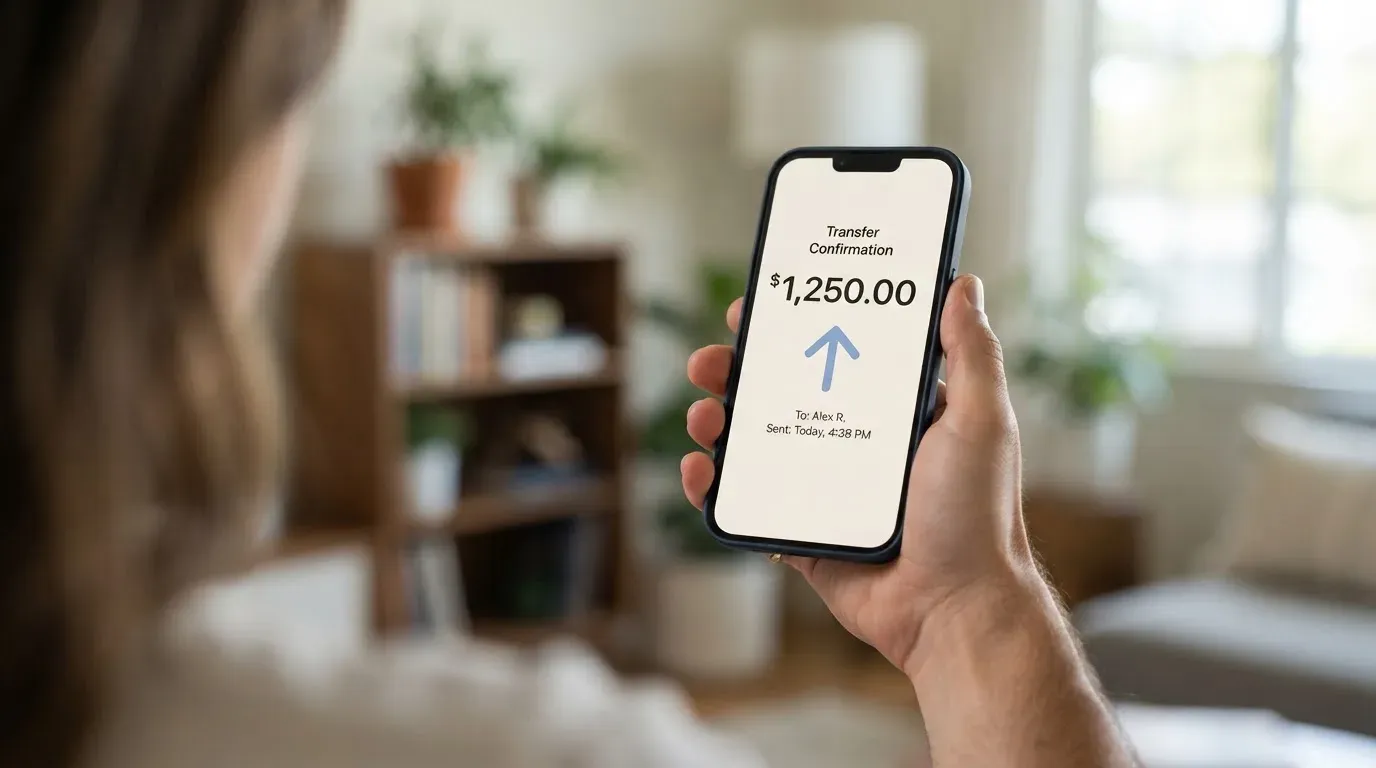
First, you transfer from your Thera account to your Thera Wallet, using the in-app “Transfer to Wallet” action. Then, inside the wallet, you use “Add Funds” to push the balance onto the card. Thera says the balance “takes 5-10 minutes to reflect” on the card after the second step.
The funding source is your Thera account, not an external bank or an external crypto wallet. That is the model: a Thera payroll payment arrives, it sits in the Thera account, you can leave it there, transfer it to the wallet, and from there to the card. The wallet itself can hold USDC or USDT, and Thera’s wallet payouts support USDC and USDT on Ethereum and Tron only. No other coin and no other network is supported for wallet payouts, and the fee for that payout is not stated.
There is no published minimum top-up, no published fiat on-ramp (no way to feed the card from a bank transfer or a card top-up), and no published option to fund the card from an external crypto wallet you already own. The only way to put money on the card is to start with a Thera payroll payment.
The withdrawal direction is the mirror of the deposit: from the wallet, you can add a payout method (an external address) and send USDC or USDT to it on Ethereum or Tron. Thera warns that a wrong address can cause permanent loss, and it does not publish a withdrawal fee or a closure balance. If you ever want to move the balance back to a wallet you control, the only route is USDC or USDT over Ethereum or Tron, and you bear the network fee.
Paying with it every day
Once the card is in the app, the daily-use experience is what you would expect from a virtual Visa that lives in Apple Pay or Google Pay. The card number, expiry and CVV appear in the Wallet section, and you can tokenise the card into Apple Pay or Google Pay through the card settings.
What you cannot do is broader. The card is for online purchases “where Visa is accepted” only, and there is no in-store use, no contactless tap-to-pay on a physical terminal, and no ATM. The physical card Thera has hinted at would, in theory, change that — but as of right now, “every day” means online checkouts, subscription payments, and any place that lets you type a card number in.
Several common card features are not stated in the public materials: a list of blocked merchant categories, a rewards or cashback scheme, dispute and chargeback procedures, and the rating of the app in the app stores. The pages do not address these at all. Peer-to-peer transfers via payment links are also explicitly not supported by this card.
The Apple Pay and Google Pay integration does not by itself unlock offline payments. Tokenising a virtual card into a mobile wallet allows you to pay at a physical terminal that accepts contactless — but that is only relevant if the underlying card is enabled for in-store purchases, and Thera says it is not.
For a Thera payroll recipient in Mexico who pays a US-based SaaS subscription, the card works out of the box. For the same user who wants to buy groceries at a local supermarket, the card is the wrong tool.
What can go wrong
The product side of Thera is well-regarded — Trustpilot shows 4.7 stars from 100 reviews, all in the last 12 months, and that is a respectable score. The risk picture is less about the public feedback and more about the parts Thera does not publish.
The legal entity behind the card, the card issuer, and the licences that authorise Thera to issue a Visa are not named on the public pages that the support article links to. KYC is run by a partner called AiPrise, which is the only third party named in the card flow. A reader who wants to know which bank is on the other end of the swipe, or which regulator oversees the card programme, has to ask support directly, and the support channels are not named in the card article either. The KYC guide says email support is available, but the rest of the support structure is not described.
The one visible complaint on Trustpilot, dated 6 August 2026, describes a withdrawal that the platform marked as completed but that the user says never arrived, along with slow and repetitive support. Thera has not replied to the negative review. A single user report is not a pattern, but it is the only signal we have, and the absence of a published dispute or chargeback process is what makes that report worth flagging.
Other risks that are simply not addressed in the public material:
- No published list of blocked merchant categories, so users do not know which types of spend will be declined by policy.
- No published custody information. The wallet is custodial (Thera holds the credentials), and the public pages do not describe how funds are safeguarded, segregated or insured.
- No published security disclosures. The card UI hides the card number when you leave the page, and identity verification is required, but the rest of the security model is not described.
- No published newsroom or status page in the materials reviewed. A card user who wants to know whether the programme is being wound down has to look for news, not check Thera.
For comparison: in 2018, Visa suspended a card issuer called WaveCrest that had been supplying several crypto card brands, and every WaveCrest-issued Visa programme in Europe was closed. In November 2022, Visa said it had terminated its global agreements with FTX, and the FTX US debit card was wound down by its issuer. Both of those were crypto card programmes that looked healthy in user reviews until they were not. The lesson is that the issuer and the licence behind a card matter as much as the brand on the front, and the Thera Wallet card does not name either.
What to take instead
If the Thera Wallet card is the wrong tool — because you are not on a Thera payroll, because you live outside the ten supported countries, or because you need a card you can use in a physical store — here is how three alternatives stack up. None of them is a perfect swap for a Thera payroll user, but each one addresses a different gap.
| Card | Score | Best for | Key differences from Thera Wallet |
|---|---|---|---|
| Thera Wallet | 4.9 / 10 | Thera payroll recipients in 10 Latin American countries and the US | Virtual online-only Visa, USDC/USDT on Ethereum and Tron |
| Whop Cards | 5.2 / 10 | US-based consumers and businesses who want a card that works anywhere Visa is accepted, online and in stores | Available in 31 US consumer states and 41 corporate states; 5% cashback at select merchants (currently Uber); spends from a Whop balance backed by stablecoin collateral |
| Stella | 6.5 / 10 | Users who want both virtual and physical cards and a custodial in-app wallet that auto-tops up the card when crypto is deposited | Works at “over 40 million VISA merchants globally”; countries not stated officially; routes US and European users through affiliates; fees not stated officially |
| UniFi Card | 4.7 / 10 | Users in the Philippines, Mexico, eurozone and (per recent release notes) Colombia, Brazil and the UK who want a USD-denominated prepaid Visa from a US bank | “Prepaid Debit Visa Card” issued by Lead Bank; receive funds via ACH, wire, SEPA (IBAN) or SPEI (CLABE); 3% rewards on balances; fees not stated |
The shape of the choice depends on what you are missing. If you need an in-store card, Whop Cards works in stores in the US. If you want a physical card, Stella is the one that has both. If you are paid across borders and want a USD card from a US bank, UniFi Card is closer to that model.
Who I would recommend it to
If you are a freelancer or contractor in Argentina, Bolivia, Brazil, Colombia, the Dominican Republic, Ecuador, Guatemala, Mexico, Peru or the United States, and you are already being paid through Thera payroll, the Thera Wallet card solves a real problem: it lets you spend your payroll balance online, in fiat, without manually converting USDC and wiring it to a bank. For that user, the card is a reasonable tool, and the score understates the experience because the score is built around the broader market, not the narrow use case.
For anyone outside that audience, the card is not for you. If you are not on a Thera payroll, the product is not available. If you live outside the ten supported countries, the product is not available. If you need a physical card, a card for in-store purchases, an ATM, a published fee schedule, a published dispute process, or a clearly named card issuer, the Thera Wallet card does not currently provide any of those.
The honest recommendation is to take the card if it is offered to you through your Thera payroll, treat it as a virtual online-spending account rather than an everyday bank card, and keep an eye on the missing pieces — issuer name, fee schedule, dispute process — that Thera has not published. The day those gaps close, the score will move.
Frequently asked questions
What is the Thera Wallet card?
The Thera Wallet card is a virtual Visa that draws from a USDC or USDT balance held inside a Thera Wallet. It is for online purchases where Visa is accepted, and it works through Apple Pay and Google Pay via the card settings.
How does the Thera Wallet card work?
Thera pays you through its payroll service, you transfer the balance from your Thera account to your Thera Wallet, and you push that balance onto the card with the “Add Funds” action. The card then spends from that balance, and the balance reflects within 5–10 minutes.
Is Thera Wallet a bank?
Thera Wallet is not described as a bank on the public pages. Thera itself is a payroll and payments platform, and the pages reviewed do not name the legal entity that issues the card or the bank that holds the funds.
Who owns Thera Wallet?
The public card and KYC pages name Thera as the brand and AiPrise as the KYC partner. The legal entity, the card issuer and the relevant licences are not named in the materials reviewed.
Is the Thera Wallet card available in my country?
Thera confirms card support in Argentina, Bolivia, Brazil, Colombia, the Dominican Republic, Ecuador, Guatemala, Mexico, Peru and the United States. Availability “is based on local banking and regulatory availability” in those countries, and the card is not available outside them.
How do I get the Thera Wallet card?
You need to be paid through Thera payroll. Then you complete AiPrise identity verification on mobile, submit the relevant tax form, create your wallet under Payroll > Wallet, and wait for approval, which “typically takes a few business days”.
Does the Thera Wallet card require KYC?
Yes. KYC is run by AiPrise on mobile via a QR code and uses one of a driver’s licence, resident ID, voter ID, national ID or passport, plus a selfie. The result is “Verified” or “Declined”, and the standard review takes a few minutes, or 24–48 hours if extra checks are needed.
How do I top up the Thera Wallet card?
You transfer from your Thera account to your Thera Wallet, then use “Add Funds” inside the wallet to push the balance onto the card. The card balance reflects within 5–10 minutes. The wallet only supports USDC and USDT, and wallet payouts are on Ethereum and Tron only.
How do I add the Thera Wallet card to Apple Wallet?
You open the Thera app, go to the card settings, and follow the prompt to add the card to Apple Pay or Google Pay. The card number, expiry and CVV are surfaced in the Wallet section and auto-hide when you navigate away.
Is the Thera Wallet card safe?
Thera hides the card number when you leave the page and requires identity verification, but the public pages do not describe custody, segregation, insurance or dispute procedures. The legal entity and card issuer are not named on the materials reviewed, and a single Trustpilot complaint (6 August 2026) describes a withdrawal marked completed that the user says never arrived, with slow support and no company reply. Treat it as a virtual spending account rather than a primary bank card.
Money-app cards – cryptocardselect
Content created by the «cryptocardselect» team