
A cheap, no-KYC virtual card — if you can live with the trade-offs
 Available in US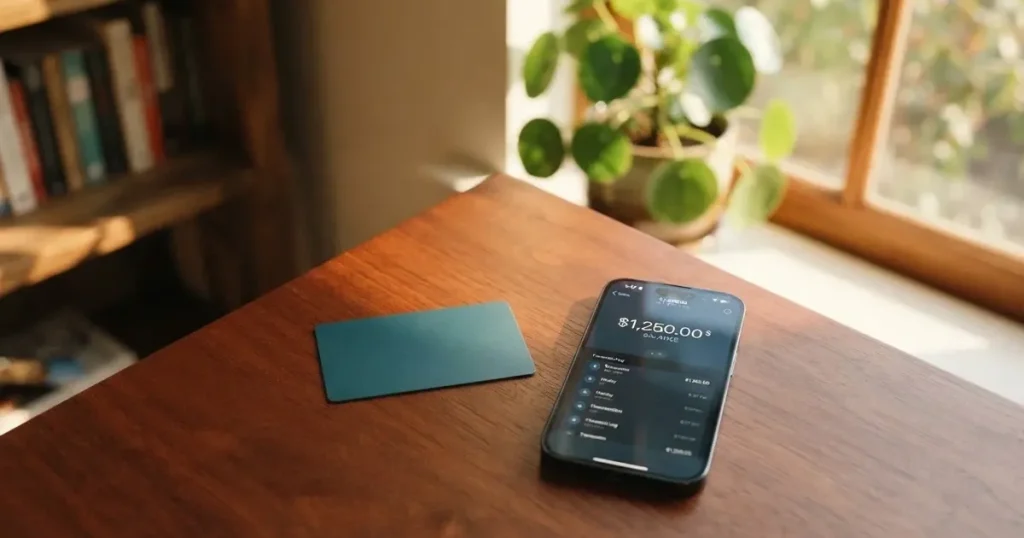
Vyrion is a payment card product that aims at people who want a card issued without an ID check, a selfie or proof of address, and who would rather not hand their funds to a custodian. The card is virtual only, comes in seven BINs across Visa and Mastercard, costs $1 to issue and is topped up directly from a self-custody crypto wallet. The appeal is the price and the privacy posture; the catch is everything that comes with operating in a corner of the market where the licence, the issuer and the company behind the product are hard to pin down.
Conditions on this page are current as of October 28, 2026.
Verdict
Vyrion scores 7.1 / 10 in my review. That is a respectable number for a card that costs almost nothing to issue and that lets you pay online with a Visa or Mastercard number without uploading a passport, but the score reflects some uncomfortable gaps elsewhere. If you are privacy-minded and want a cheap virtual card in USD funded from a wallet you control, Vyrion is genuinely worth a look. If you need a physical card, an ATM, a published FX rate, a named issuer or any kind of recourse if something goes wrong, this is not the product for you.
Here is the score broken down by the criteria I checked:
| Criterion | Score | Why it scored what it did |
|---|---|---|
| Who can get it | 9 / 10 | Available in 190+ countries with no KYC, but the terms do not list the restrictions they refer to |
| Cost | 9 / 10 | $1 per card, no monthly fee, 1% top-up fee, no decline fee; FX and ATM fees are not stated |
| Top-up options | 8 / 10 | Ten coins including BTC, ETH, SOL, USDT, BNB, TRX, MATIC, LTC, AVAX and ARB; USDC is not named |
| Reliability and complaints | 3 / 10 | “A technology provider and not a bank”; issuer is unnamed; no reviews and no company details |
| Everyday use | 5 / 10 | Virtual only, but Apple Pay and Google Pay work; no ATM, no plastic, up to 20 cards per account |
| Total | 7.1 / 10 |
Who it suits: anyone who has been refused a normal bank card because of where they live, what citizenship they hold or how thin their paperwork is, and who already runs a self-custody crypto wallet. Who it does not suit: anyone who needs a physical card at a point-of-sale terminal, anyone who draws cash from ATMs on a regular basis, and anyone who would be uncomfortable loading value onto a card whose issuer is not publicly named.
Will they give you the card
Vyrion’s terms say the card is available in “190+ countries”, which on the surface is as wide a footprint as a crypto card gets. The fine print softens that promise in a way I want to be honest about: availability is “subject to the restrictions outlined in these terms” — and the terms do not list those restrictions anywhere I could read. So the headline is inclusive; the details are opaque. If your country matters to you, treat that gap as a real risk and test with a small amount first.
There is no identity check of any kind. The marketing is unusually direct about this: “No ID, no selfie, no proof of address.” You must be 18 or older. Your account is created with a seed phrase — the 12- or 24-word string that controls a self-custody crypto wallet — and Vyrion does not store it. If you lose the seed, you lose the balance. That is the trade-off for skipping KYC: the convenience of no paperwork, balanced against the responsibility of being your own bank.
If you have ever been through a bank onboarding that dragged on for weeks over a utility bill, the contrast here is striking. The friction is not zero, because you still need a working crypto wallet and a way to fund it, but it is the friction of seed-phrase custody, not of compliance paperwork.
How to get it
The sign-up path has three steps and they are short. First, you sign up and create your account — this is where the seed phrase comes in. Second, you fund the wallet in crypto (the accepted coins are listed in the section on topping up). Third, you issue a card.
The card itself is virtual, in USD, and it comes in seven BINs: Visa Business 471938, Mastercard World 553184, Visa Classic 491653, Mastercard Prepaid 528410, Visa Platinum 485291, Mastercard Standard 541263 and Visa Corporate 493847. If those numbers mean little to you, what matters is the practical effect: you can pick a network and a tier, and you can hold up to 20 cards on the same account, which is useful if you want to keep subscriptions isolated from each other or rotate numbers after a leak. There is no physical card, no delivery, nothing in the post.
There is no dedicated mobile app — Vyrion runs a web dashboard and an API, with the API described in the terms as available on “Business and Enterprise plans” that the public pages do not define. If you live in apps, the lack of one is a small but real friction.
Fees: what it really costs
Pricing is the part of Vyrion that I find genuinely competitive. The headline numbers are: $1 per card at issuance, 0% monthly fee, 1% top-up fee, 0% decline fee and 0% withdrawal fee. Balances are credited “at live Binance rates” — that is, the rate you see is the rate you get, at least at the moment the network confirms the deposit. There are no tiers; pricing is the same for everyone.

What the public pages do not state is where the cost creeps back in. The FX fee (the markup applied when you pay in a currency other than USD) is not disclosed. The ATM fee is not stated, which matters because the card is virtual anyway. The “live Binance rates” wording is precise enough — Binance publishes a rate — but the spread between that rate and the rate you could have got elsewhere is not quantified. If you pay only in USD and fund only with USDT, you are paying 1% on the way in and nothing on the way out. If you pay in euros, you are accepting whatever sits between the live rate and the rate your merchant sees, and that gap is not on the page.
The limits are sensible for personal use. Account-wide, you can move $10,000 in a single transaction and $100,000 in a month. Per card BIN, the per-transaction and per-month limits are: Visa Business and Mastercard World $10,000 / $100,000; Visa Classic and Mastercard Prepaid $2,000 / $20,000; Visa Platinum and Mastercard Standard $5,000 / $50,000; Visa Corporate $6,000 / $60,000. Pick the BIN that matches the scale of what you want to do.
Here is the cost picture at a glance:
| Fee or limit | Amount |
|---|---|
| Card issuance | $1 per card |
| Monthly fee | 0% |
| Top-up fee | 1% |
| Decline fee | 0% |
| Withdrawal fee | 0% |
| ATM fee | Not stated |
| FX fee | Not stated |
| Conversion rate | Live Binance rates |
| Pricing tiers | None |
| Per-transaction limit (account-wide) | $10,000 |
| Monthly limit (account-wide) | $100,000 |
| Cards per account | Up to 20 |
What this looks like in everyday life: a $50 online subscription paid in USD from a USDT balance costs you $0.50 on the way in and nothing on the way out, plus the Ethereum or Tron gas fee you paid to move the USDT in the first place. A €40 purchase at a European merchant will cost you the 1% top-up on the USDT you loaded, plus whatever the FX markup turns out to be — and that is the part to watch. A declined transaction, in the small print, is not charged, which is reassuring if you have ever had a card eat a hold at a gas pump.
Top up: how to fund the card
Vyrion lists ten coins in the funding list: BTC, ETH, SOL, USDT, BNB, TRX, MATIC, LTC, AVAX and ARB. The FAQ narrows that by naming USDT on ERC-20 specifically, which is the version of USDT issued on Ethereum. The 1% top-up fee applies (terms permit up to 1%), and the network fee you pay to send the crypto is on top of that, charged by the blockchain, not by Vyrion. There is no fiat top-up, so the only way in is through one of these ten tokens.
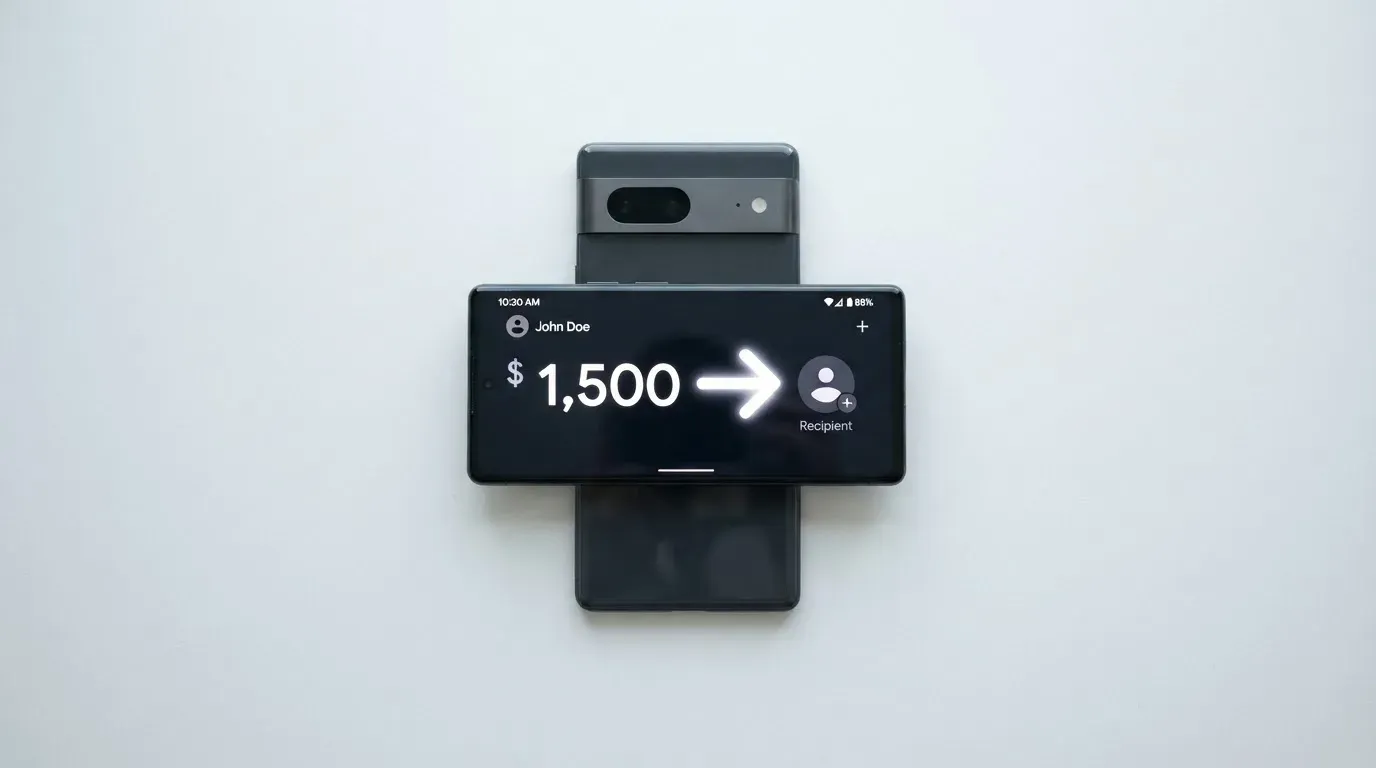
A few things deserve your attention. The minimum deposit is not stated as a single number — the terms say a minimum “may apply” depending on the coin, so check the funding page before you send a tiny test amount. The network fee payer is not stated, but in practice that fee is paid by the sender’s wallet, which is you. And, importantly, USDC is not on the list. If your funding plan is built around USDC, that is a reason to pause and consider a different card.
Speed is one of the better parts of the experience: deposits are credited after network confirmation and “typically under 5 minutes” once that confirmation lands. In my reading of crypto card offerings that is fast, although the time to first confirmation depends on the network — Bitcoin and Ethereum can take longer than Solana or Tron during busy periods, and the 1% fee does not include the gas you spend waiting.
The irreversible nature of crypto transfers is the practical hazard here. If you send USDT on the wrong network, or to an address generated for a different coin, the funds are not coming back automatically. The terms say that “unused balances may be withdrawn or moved to new cards, subject to fees” and that voluntary closure refunds are at Vyrion’s discretion minus fees — which is honest but not generous. If the account is closed for a policy violation, the balance may be forfeited. The line that does read well is “Unused balance is always refundable” — but it sits in a paragraph that gives Vyrion wide latitude on how.
Paying with it every day
For online spending, Vyrion is a workable Visa or Mastercard number you can paste into a checkout, save in a password manager or tokenise into a wallet. Apple Pay and Google Pay are both supported, which means a phone tap-to-pay at a physical terminal is possible if you tokenise the card first — but there is no physical card to hand over or insert, so any merchant that does not accept contactless through a phone is out. Blocked merchant categories are not stated, so I cannot tell you whether the card works at a betting site, a crypto exchange or an adult content platform. The way to find out is a small test transaction.
The 3-D Secure flow uses 3DS 2.0, which is the modern version that can approve small, low-risk payments without bothering you, and only ask for a code or biometric when something looks off. That is the better of the two experiences. The dispute process, as far as the terms describe it, has a few edges worth knowing: issuance fees are not refundable, declined transactions are not charged, merchant refunds are credited back, but there are no refunds for exchange-rate moves — if the dollar moves against your funding coin between the top-up and the refund, you eat the difference. Claims have a one-year limit and are subject to binding arbitration, which removes the option of a class action.
There is no rewards programme. No cashback, no points, no tier-based perks. If you are weighing Vyrion against a card that gives you 1% back in BTC, do that math carefully: Vyrion’s 1% top-up fee is roughly the size of a typical crypto cashback, so you are paying for what some other cards give you. The value of Vyrion is the price of entry, not what it gives back.
What can go wrong
This is the section where the score drops. Vyrion describes itself as “a technology provider and not a bank”, and the card is “issued by licensed partners” who are not named. There is no registration country, no licence number, no link to a regulator’s register. That is not necessarily dishonest — many crypto cards route through an unnamed e-money institution — but the absence is the absence, and the cautious reader should treat it as such.
The company itself is “Vyrion Card”. The search I ran for user reviews and complaint history returned no Trustpilot page, no Reddit threads and no incidents tied to the brand. That is not the same as a clean record; it is a thin record. “No complaints found” can mean “no complaints” or “not enough users to complain” or “complaints filed under a different name”. The terms were last updated in April 2026, which is recent, but it is also the only dated signpost.
The self-custody model is its own risk profile. Your account is your seed phrase, which Vyrion does not store. If you lose it, the balance is gone; if it leaks, the balance is gone. 3-D Secure 2.0 is in place, the site claims PCI DSS and 256-bit TLS, and there is a web dashboard and an API, but freeze and spend-control features are not described. If you need a panic button — “freeze this card right now” — the public pages do not show you where it is.
Support is via an email form and a Telegram channel, advertised as 24/7. The form promises a reply “within 24 hours”; the Telegram description says “under 6 hours”. In practice that is a reasonable spread for a small product, but it is not the same as having a phone number or a live chat with a regulated bank. If a transaction goes wrong, the documented path is binding arbitration, with claims due within one year.
The broader category risks apply too. Crypto transfers are irreversible; a deposit sent on the wrong network, or to an address for a coin the platform does not support, is not recoverable by the network itself, and “manual support recovery” is at the provider’s discretion. Stablecoins are not as stable as their name suggests — Tether’s USDT and Circle’s USDC are the two largest by market share, but USDC briefly lost its peg during the US banking turmoil in March 2023, and Tether has frozen funds tied to illicit activity, so the idea that stablecoins are censorship-proof is not quite right.
What to take instead
Vyrion is not the only virtual card aimed at people who cannot or do not want to use a traditional bank. Here is how three alternatives stack up, drawn from the same scoring framework. None of these are recommendations in the legal sense — they are points of comparison to help you decide.
Cardex scores 5.6 / 10. It is a single crypto card said to be available in 200+ countries, with no country list published. The App Store listing positions it as Naira-focused, which suggests a Nigerian audience. The card is on the VERVE, Visa, Mastercard and UnionPay networks, and can be virtual or physical. The pricing page does not publish a fee schedule. The headline mechanism is an “AI-Powered Conversion Rate” that scans global exchange rates and picks the best one at the moment of payment — which is a marketing claim I would test with a small payment before trusting with a large one. Funding is from USDT, USDC and BTC wallets, with the networks not stated.
TakeCard scores 5.5 / 10. The virtual card is said to be available in several Latin American countries and a few in Europe (Argentina, Bolivia, Peru, Chile, Paraguay, Colombia, Ecuador, US, Spain, Italy), while the physical card is “available only to Bolivian users for now”. The card is on Visa, prepaid, issued in the US, denominated in USD with a 1:1 USD payment model and other currencies at the official Visa rate of the day. The virtual card costs $5 to issue; the physical card costs $20 plus $20 for shipping in one source and $10 in another, which is a real contradiction in the public material. There is a 1% commission per purchase. The top-up route is a Takenos account, with starting data pointing at USDC and USDT on Polygon, BNB Chain, Tron or Ethereum.
OkiCard scores 6.0 / 10. It claims “150+ countries” (some pages say “200+”), with “no geo-blocking based on your passport” — though users must confirm they are not in a sanctioned jurisdiction. The card is virtual (with a physical option that is not detailed), on “Visa/Mastercard” without specifying which, in USD or EUR. Pricing is $0 issuance, $0 monthly, with a starting price of $15 for the virtual card and a one-time issuance fee mentioned in the FAQ — the public pages disagree, which I would want clarified before paying. There is a 3% load fee, 0% on USD transactions and “no hidden exchange spreads” claimed. Funding is USDT on BSC, Ethereum, Tron and Solana, with USDC “soon” and BTC and other coins “coming soon”. An initial deposit of 100 USDT is required.
If you need a card in Latin America, TakeCard is the only one of these three that names specific countries and a clear regional focus. If you are optimising for no load fee and you are happy to wait for USDC, OkiCard is the most clearly priced. If you are shopping on geography alone, Cardex’s 200+ countries is a wider claim than Vyrion’s 190+, but the absence of a country list is shared.
Who I would recommend it to
Vyrion is for the reader who already runs a self-custody wallet, who values the absence of paperwork more than the presence of a regulator, and who wants a virtual card number for online spending. The $1 issuance and the lack of a monthly fee make it a low-cost way to have a card you can rotate (up to 20 on one account) and use for subscriptions, online services and merchant payments where Visa or Mastercard is accepted. The privacy posture — no KYC, no data upload, account from a seed phrase — is real, and the price of admission is small.
Vyrion is not for the reader who wants to walk into a shop and tap a card, who needs cash from an ATM, who needs to know the name and licence of the issuer before they hand over value, or who expects the kind of dispute resolution a regulated bank provides. The transparency gaps — unnamed issuer, no public reviews, no published FX fee, no blocked-category list — are the reasons the score sits where it does.
If your situation is “I have crypto, I need a card number, and I do not want to upload my passport”, Vyrion is one of the cheapest and most direct ways to get there. If your situation is “I need a card I can rely on for daily life”, this is not it. Test with a small amount, keep the seed phrase somewhere safe, and treat the balance on the card as money in a wallet you carry in your pocket — not money in a bank.
Frequently asked questions
What is the Vyrion card?
The Vyrion card is a virtual Visa or Mastercard payment card issued in USD, funded from a self-custody crypto wallet. It is sold as “Vyrion Card” by a company that describes itself as a technology provider, not a bank, with the actual card issued by unnamed licensed partners. There is no physical version, no mobile app, and no KYC at sign-up.
How does the Vyrion card work?
You create an account using a seed phrase from your own crypto wallet, fund the wallet with one of the supported coins, and issue a card from the web dashboard. Balances are credited at “live Binance rates”, and a 1% top-up fee is charged on the way in. The card then behaves like any other Visa or Mastercard number online, and can be added to Apple Pay or Google Pay for in-store contactless payments.
Is Vyrion a bank?
No. Vyrion says it is “a technology provider and not a bank”, and the card is “issued by licensed partners” whose names are not published in the public terms. This is not unusual in the crypto card category, where many programmes are run by a front-end company on top of an e-money institution, but it does mean the regulatory cover is one step removed from the brand.
Does the Vyrion card require KYC?
No. The marketing says “No ID, no selfie, no proof of address”. You must be 18 or older, and your account is created with a seed phrase that Vyrion does not store. The trade-off is the usual one for self-custody: if you lose the seed, you lose the balance.
How do I top up the Vyrion card?
You send one of the supported coins — BTC, ETH, SOL, USDT, BNB, TRX, MATIC, LTC, AVAX or ARB — from your wallet to the address Vyrion provides for that coin and network. The FAQ names USDT on ERC-20 specifically. The 1% top-up fee applies, the network fee is on top, and the credit lands “typically under 5 minutes” after network confirmation. USDC is not on the list.
How do I add the Vyrion card to Apple Wallet or Google Pay?
Vyrion supports Apple Pay and Google Pay. The path is the standard one: open Wallet on iOS or Google Pay on Android, choose to add a card, and enter or scan the Vyrion card details from the web dashboard. There is no dedicated Vyrion app, so the dashboard is where you copy the card information from.
Where can I use the Vyrion card?
Anywhere that accepts Visa or Mastercard online, and at any contactless terminal that accepts Apple Pay or Google Pay, since the card is virtual only and has no plastic form. The public terms do not list blocked merchant categories, so whether a particular site or shop declines the card is something you can only find out by trying a small payment first.
Is the Vyrion card safe?
It uses 3-D Secure 2.0, claims PCI DSS and 256-bit TLS, and runs on a self-custody model where you control the seed phrase. The published terms do not describe freeze, spend-limit or device-management features, and the issuer is unnamed, so the safety story is “modern card security plus self-custody responsibility”, not “regulated bank protection”. As with any card, the safest move is to keep the balance small and rotate the card if you suspect it has leaked.
How do I withdraw money from the Vyrion card?
The terms describe a 0% withdrawal fee, and say unused balances can be moved to new cards or withdrawn, subject to fees. The card is virtual, with no physical card and no ATM described, so “withdraw” in practice means moving the balance back out in crypto to your own wallet, or spending the card down to zero. The phrasing “Unused balance is always refundable” sits inside a paragraph that gives Vyrion discretion on how.
How do I delete my Vyrion account?
The public pages do not describe a self-service account-deletion flow. The terms address closure: voluntary closure is at Vyrion’s discretion, refunds are minus fees, and balances may be forfeited on termination for a policy violation. The practical path is to spend the card down, withdraw any remaining balance through the supported channels, and contact support via the email form or Telegram to request closure.
Virtual cards for online use – cryptocardselect
Content created by the «cryptocardselect» team