
PayPaw card review
 Available in US
PayPaw is a prepaid payment card you buy through a Telegram bot and pay for in Solana tokens. There is no app, no KYC at sign-up, and the card arrives in about fifteen minutes. The idea is appealing if you have SOL or USDC in a self-custody wallet and want a one-time card to spend online or tap through Apple Pay or Google Pay. The cost, however, is high for anything beyond a single use: 3% of the card value plus a $2 flat fee, and a further 2% each time you spend in a currency other than the one the card was issued in. The card cannot be topped up once it is created, ATMs are not supported, and the company behind the bot does not name its issuer, legal entity or licences on its public pages. In my view PayPaw is a niche tool for a Telegram-native, Solana-holding audience that wants a fast disposable card and accepts paying a premium for the convenience.
Conditions are current as of October 28, 2026.
Verdict
PayPaw scores 5.8 out of 10, which places it below the middle of the crypto-card pack. The good marks are for accessibility (more than 200 countries can be served) and the simplicity of the top-up flow (SOL, USDC, USDT or BONK straight to a Solana address). The poor marks are for cost, reliability signals, and the limited feature set: no ATM, no top-up after issuance, no mobile app, and very little information about the issuer.
| Criterion | Mark | Why it matters |
|---|---|---|
| Who can get it | 8 / 10 | Over 200 countries served; 30 restricted countries excluded (the card’s list includes Belarus and Russia). |
| Cost | 4 / 10 | 3% of card value plus a $2 flat fee; a further 2% on any spend in a different currency. |
| Top-up options | 8 / 10 | SOL, USDC, USDT or BONK on Solana directly, plus an aggregator that swaps BTC, ETH and BNB. |
| Reliability and complaints | 4 / 10 | No legal entity, issuer or licence named on the card’s pages; no Trustpilot page or user reviews found. |
| Everyday use | 5 / 10 | Apple Pay and Google Pay are supported; no ATM; no way to add funds after the card is issued. |
| Total | 5.8 / 10 |
Who PayPaw suits: Telegram users who already hold Solana tokens and want a one-time prepaid card for a specific online or in-store purchase, especially in places where opening a bank account is difficult. The audience is a thin slice, and the price reflects it.
Who it does not suit: anyone who needs a reusable card, expects cash access, wants to lock in a low conversion cost for regular spending, or needs the comfort of a named issuer and a published licence. If that is you, look at the alternatives I discuss further down.
Who can get the PayPaw card
The card’s public pages say the service is available in more than 200 countries, with 30 countries explicitly excluded. The excluded list, as published on the card’s own page, includes Belarus and Russia. Citizenship and residence are not discussed as separate rules; the Telegram bot simply asks you to set your country during the on-boarding flow, and that setting governs what you can do next.
The card does not state a minimum age. In practice, prepaid and debit cards in this category are usually aimed at adults, but PayPaw does not publish a number.
You should keep two things in mind. First, the country you pick in the bot is your gateway to the rest of the process, so choose the country where you actually live, not the one whose flag looks nicest. Second, a long “available in” list is not a licence to operate: the card’s own pages do not name a legal entity, an issuer or any regulatory licence. A list of countries is marketing, not a regulatory pass.
How to sign up
The sign-up is built around a Telegram bot, not a website form. The card’s own description of the steps is: open the Telegram bot, set your country, tap “Create Card”, pick a provider and a card amount, send the exact amount of SOL to the address the bot shows you, and then activate the card by following a partner link. There is no app to download and no website account to create beyond a dashboard on the partner provider’s site.
KYC is described as “not needed” to get started. The same FAQ entry adds the caveat that the provider can still ask for your data, which is a softer promise than the headline suggests. The card’s public pages do not state which provider actually issues the card or which KYC level (basic, enhanced, or none) applies to ongoing use. If you plan to load a meaningful balance, expect to be asked for documents at some point.
Cards come in EUR or USD. The card’s pages do not say whether the network is Visa or Mastercard, nor whether the card is virtual only or available in a physical form. The timing is given as 20 seconds to create the order and 15 minutes for the card to arrive in your dashboard. Physical delivery is not described.
If you do not already have a Telegram account, this is a hard stop. The whole flow runs inside Telegram, with the partner provider’s dashboard as a secondary surface for the card itself.
PayPaw fees and what they actually cost
Cost is the area where the score is weakest, and the published numbers explain why. The headline fee is 3% of the card value plus a $2 flat fee. Spending in any currency other than the one the card was issued in (for example, an EUR card used for a USD charge) adds another 2%. There is no published monthly fee and no published limit on how many cards you can hold.
| Fee or limit | Amount |
|---|---|
| Issuance | 3% of the card value plus $2 |
| Monthly fee | Not stated |
| Crypto-to-card conversion (aggregator) | Not stated |
| Foreign-currency spend | 2% on top of the network rate |
| ATM withdrawal | Not supported |
| Spending limits | Not stated |
| Number of cards | No limit stated |
What does that mean in real money? The table below works through three everyday payments: a $50 online subscription on a USD card, a €30 in-store coffee in Spain on a EUR card, and a $100 one-off purchase on a brand-new $200 card. The numbers use only the fees the card states; the network exchange rate at the moment of spend is a separate, unstated variable.
| Scenario | What you pay | Why |
|---|---|---|
| Buy a $200 card, spend $50 of it online | $8 to issue the card (3% of $200 + $2), then no foreign-currency fee because the merchant is billed in USD | The foreign-currency fee only kicks in if the merchant’s currency differs from the card’s currency |
| Buy a €100 card, spend €30 in a coffee shop in Spain | €5 to issue the card (3% of €100 + €2), then no foreign-currency fee (both EUR) | No currency mismatch, so the 2% does not apply |
| Buy a $200 card, spend it on a £150 subscription billed from the UK | $8 issuance, then about £3 of the £150 in foreign-currency fee (2%) | The pound is neither USD nor EUR, so the 2% conversion fee applies on every charge |
Three things are worth noticing. First, the issuance fee is a fixed percentage of the card value, not of what you spend. A $500 card costs $17 to create, regardless of whether you spend the whole balance. Second, the foreign-currency fee applies per transaction, not per year, so a long subscription billed in a non-card currency becomes more expensive the more often you are charged. Third, the card’s pages do not state the aggregator’s conversion fee when you pay with a token other than SOL, USDC, USDT or BONK, so the cost of using BTC, ETH or BNB is not knowable in advance from the published information.
How to top up PayPaw
Top-up is where PayPaw differs from most crypto cards and where the Telegram flow shows its trade-offs.
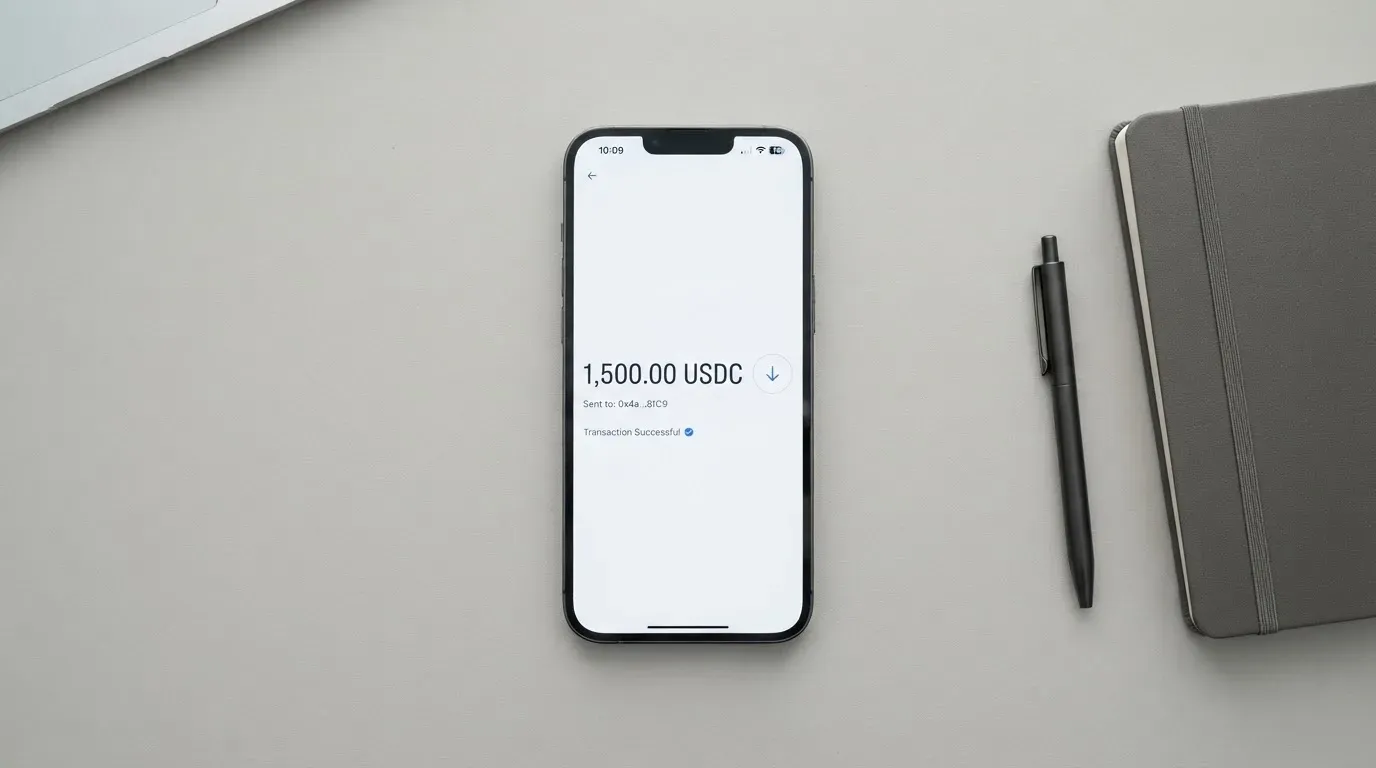
When you create a card, the bot gives you a fresh Solana address. You can send SOL, USDC, USDT or BONK on the Solana network to that address. If you hold BTC, ETH or BNB, the card’s page describes an aggregator that swaps those tokens before the card is funded, but the fee for that swap is not published. The amount has to be exact: the card is not delivered if you send the wrong number of tokens. The fresh-address approach is good for privacy, since no address is reused, but it also means every card is a one-shot operation.
You cannot top up an existing card. Once the card is created, no more funds can be added to it. If you run out, you create a new card and pay the issuance fee again. There is no ATM, no bank transfer and no balance reload. Your card balance is viewed on the partner provider’s site, not inside the Telegram bot.
This is the most important practical detail. A PayPaw card is closer to a gift card you buy in crypto than to a debit card you maintain a balance on. If you need a card you can keep funding, this is the wrong product.
Paying with PayPaw every day
Once the card is in your hand, paying with it is straightforward. The card can be added to Apple Pay and Google Pay, which is the main reason it works in physical stores: you tap your phone at the terminal rather than handing over a piece of plastic. The card’s pages do not state which merchant category codes are blocked, so gambling, adult content, cryptocurrency purchases and similar categories are not confirmed either way.
The card’s pages do not describe a rewards or cashback programme, so you should assume there is none. There is no app: the Telegram bot and the partner provider’s web dashboard are the only surfaces. The provider’s site is also where you go if the card is lost or stolen, and the card’s instructions are simply to contact the provider as soon as possible.
A few things about card payments in general are worth knowing, because they apply to PayPaw as well. Merchants can look up the first six or eight digits of your card number to see which institution and country issued it. A card issued by an unknown programme in an unexpected country can be declined, especially at US merchants that use Address Verification Service, which is generally unavailable for foreign-issued cards. Online, 3-D Secure can add a one-time passcode step to the checkout. The card’s pages do not say whether 3-D Secure is enabled on PayPaw cards, so expect the occasional decline, especially for cross-border online payments.
What can go wrong with PayPaw
Several of the risks on this card are about the things PayPaw does not say, rather than about things it says badly.
The company behind the bot describes itself as a Solana-native prepaid card protocol. The card’s pages do not name a legal entity, an issuer, a banking partner or a regulatory licence. A user therefore has no public way to check whether the issuer is an authorised e-money institution, a credit institution, or any other kind of regulated payment-services provider. In the EU, for instance, card issuance and e-money fall under separate licences from MiCA and from payment-services law. Without a name, you cannot look the issuer up on any register.
The card is sold as privacy-centric. Custody arrangements are not stated, and neither are two-factor authentication or an instant card-freeze feature. Each order uses a fresh payment address, which is good practice for privacy, but it is the only specific security measure the card’s own pages describe.
There is no published record of incidents and no Trustpilot page was found, which means there are no complaints to weigh, but also no public track record to lean on. The Telegram bot has a “Support” button at t.me/paypawbot, and the project site is paypaw.cards; the card’s pages do not state which languages support is offered in or which hours it operates.
The most concrete functional risk is structural: you cannot top up the card, and you cannot withdraw cash. If the card is compromised, the only thing you can do is contact the provider, and the card’s own instruction is simply to do so as soon as possible. There is no chargeback or dispute process described on the card’s pages, and there is no app-based freeze button. As with all crypto on-chain transfers, a payment sent on the wrong network or to the wrong address is typically irreversible.
What to use instead of PayPaw
If PayPaw’s combination of Telegram-only flow, one-shot cards, premium pricing and absent disclosure does not fit, three alternatives cover the most common reasons people look at PayPaw. None of them is a perfect substitute; each one solves a different problem.
Ape Wallet (5.5/10) is closer to a Telegram wallet with a card attached. It uses USDT as the funding balance, supports Apple Pay and Google Pay, and lets you transfer to other users by Telegram username at no fee. The card side is virtual only, with separate “service card” and mobile-wallet card types; a discount applies if you already hold a mobile-wallet card. Russian users are an obvious audience, because the site focuses on SBP payments and the KYC flow expects a Russian passport. Issuance price and currency are not stated, so the cost is what the bot quotes you at the moment of order.
MaxSwap (5.2/10) is a virtual Mastercard funded from a long list of cryptocurrencies (ADA, ALGO, AVAX, BCH, BNB, BTC, DOT, ETH, HBAR, HT, KRRX, LINK, LTC, MATIC, NEAR, SHIB, SUSHI, TON, TRX, UNI, USDC, USDT, XLM, XRP, among others). The published price is $50 for the card plus a $25 first deposit, with the total issuance figure listed at $77.125. Top-up costs 4.5% plus $1, and each transaction costs $0.25 plus 0.4%. The site claims “no … geographical restrictions”, though it does not publish a country list. There is no separate FX rate; the provider’s instruction is to take the conversion fee into account when paying and converting.
AnoCard (5.9/10) is sold as a virtual card product (VCC) with several BINs, both reloadable and one-time, picked through filters in a SORN web dashboard. Network and currency depend on the BIN, so the cost structure varies; the dashboard shows fees in front of payment, which is a more honest pattern than PayPaw’s. Top-up routes depend on the asset, and a referral programme pays $5 per referred card creation and 0.25% of referred top-ups. The card’s site was not reachable at the time of this review, so the score reflects the published information rather than a live product.
| Card | Score | Card type | Funding | What it does better | What it does worse |
|---|---|---|---|---|---|
| PayPaw | 5.8 / 10 | Prepaid, EUR or USD, network not stated | SOL, USDC, USDT, BONK on Solana; aggregator for BTC, ETH, BNB | Privacy, country coverage, Apple/Google Pay | Cost, no top-up, no issuer disclosed |
| Ape Wallet | 5.5 / 10 | Virtual, currency not stated, network Visa | USDT balance in Telegram wallet | Free Telegram transfers, mobile-wallet discount | Russian-passport KYC, no published price |
| MaxSwap | 5.2 / 10 | Virtual Mastercard, currency not stated | 24+ cryptocurrencies across many chains | Broad funding options, fixed transaction fee | Higher top-up fee (4.5% + $1), no public country list |
| AnoCard | 5.9 / 10 | Virtual (VCC), network and currency by BIN | Per asset route, including SOL and stables | Transparent pre-payment fee display, referral programme | Service intermittently unavailable, less detail published |
If your priority is reuse and predictable fees, MaxSwap is the most fully-priced alternative, even if its top-up fee is the highest of the three. If you live inside Telegram already, Ape Wallet has the smoothest social flow. If you can wait for AnoCard’s service to be reachable and want a multi-BIN product with a transparent fee display, that is the strongest of the three on pure disclosure.
Who I would recommend PayPaw to
I would recommend PayPaw in a narrow case. You hold Solana tokens, you already use Telegram, and you want a one-time card for a specific transaction you do not want to put on your main bank card. You accept paying 3% plus $2 for the privilege, and you are willing to send the exact amount to a fresh Solana address on the first try. You do not need the card to be refillable, you do not need cash, and you do not need a chargeback process. If that is your situation, the card does what it says on the tin.
I would not recommend PayPaw to anyone who wants a reusable card, anyone who needs cash access, anyone who spends a meaningful share of monthly budget through the card, and anyone who is uncomfortable with an unnamed issuer. For those readers, an EMI-backed prepaid card in your own currency, or a self-custody-linked card that keeps the funds in your wallet until the moment of payment, is a more honest product at a lower all-in cost.
Before you commit, check the card’s own pages for the legal entity and the issuer’s licence in your country. If those are not named, assume the worst and size your card accordingly. A PayPaw card should be small, single-purpose, and replaceable without damaging your month.
Frequently asked questions
What is the PayPaw card?
PayPaw is a prepaid card you buy through a Telegram bot. The card comes in EUR or USD, is delivered to a partner-provider dashboard, and can be added to Apple Pay or Google Pay. You pay for it in SOL, USDC, USDT or BONK on the Solana network, with an aggregator that accepts BTC, ETH and BNB.
How does PayPaw work?
You open the Telegram bot, set your country, choose a card amount, send the exact amount of the chosen Solana token to the address the bot shows, and the card is created in roughly fifteen minutes. You then activate it through a partner link and can spend it online, in stores via mobile wallet, or both. Once the balance is used, the card is finished; you cannot add more funds.
Is PayPaw a bank?
The card’s pages do not say. The brand is described as a Solana-native prepaid card protocol, and no legal entity, issuer or licence is named on the public pages. A user therefore has no public way to confirm that the issuer is an authorised e-money institution or credit institution.
Who owns PayPaw?
The card’s own pages do not name a parent company, a legal entity or a regulatory licence. The product surface is the Telegram bot at t.me/paypawbot and the project site at paypaw.cards; neither discloses ownership in the materials reviewed.
Is the PayPaw card available in my country?
According to the card, the service covers more than 200 countries, with 30 explicitly excluded (Belarus and Russia are named on the restricted list). The card does not publish separate rules for citizenship and residence; the bot asks you to set your country, and that setting governs access.
Does PayPaw require KYC?
The card’s headline promise is that no KYC is needed to get started. The same FAQ entry adds the caveat that the partner provider can still ask for your data. The card’s pages do not state the KYC level that applies for ongoing use or for larger balances.
How do I top up a PayPaw card?
You cannot. Once a card is created, no further funds can be added. To spend more, you create a new card from the bot and pay the issuance fee again.
How do I add PayPaw to Apple Wallet or Google Pay?
The card’s pages confirm that Apple Pay and Google Pay are supported. The exact steps are taken from the partner provider’s instructions once the card is active, and they are the standard wallet-add flows for each platform.
Can I withdraw cash from a PayPaw card?
No. The card’s pages state that ATM withdrawal is not supported, and no bank transfer withdrawal is described. The only way to spend the balance is via the card itself, online or through a mobile wallet.
Is the PayPaw card worth it?
For a single, one-off payment in your card’s currency, the convenience can justify the fee. For ongoing spending, the 3% plus $2 issuance cost, the 2% foreign-currency fee, the lack of top-up, the absence of a published issuer and the missing ATM access make the card weaker than mainstream alternatives. The honest answer depends on what “worth it” means in your situation, and the card is at its best when the answer is a small, one-time use.
Virtual cards for online use – cryptocardselect
Content created by the «cryptocardselect» team