
Avici card review — what the USDC-backed Visa actually delivers
 Available in US
If an ordinary bank card has been hard to get where you live, a crypto card is one of the workarounds people talk about. Avici is a Visa that draws on a USDC balance held in a self-custodial smart contract, and the company says you can be spending in 2 minutes after sign-up. The interesting questions are not whether it works in a demo, but whether it works in your country, what it really costs once you start using it, and what happens when something goes wrong. I went through the public documents and the small but real sample of user reports, and this is what I found.
The conditions described here are current as of October 28, 2026.
Verdict
Avici earns 6.1 / 10 in my scoring. The card is a fast, USDC-native Visa that does what it says on the tin for residents of the right countries. The everyday experience is strong: $0 transaction fees, 0% forex markup on the card’s own side, Apple Pay and Google Pay, and either a virtual or physical card. The number drops because the country list is restrictive, the only official funding path is USDC into a smart contract, and the company discloses very little about who actually issues the card, what licences sit behind it, or what recourse you have when a payment is blocked.
It suits you if you live in one of the listed regions, you already hold or can get USDC, and you want a low-friction Visa without going through a neobank. It does not suit you if you are in the EU, the UK, Georgia, Serbia, Armenia or Kazakhstan, if you need to fund with bank transfers, or if you cannot tolerate a small, opaque provider with no clear regulator named on its pages.
| Criterion | Mark | Why |
|---|---|---|
| Who can get it | 7 / 10 | 49 regions accepted, including Argentina, Australia, Brazil, Japan, the UAE and the US; 17 countries fully excluded, and no EU/UK presence |
| Cost | 5 / 10 | $0 per transaction, 0% card-side FX, but virtual card from $15, physical Platinum $50, Signature from $30 a year |
| Top-up options | 5 / 10 | Official path is USDC only, into a smart contract; no fiat top-up, and any other coin only via third-party auto-swap |
| Reliability and complaints | 5 / 10 | No licence details published, Trustpilot at 3.5 from 5 reviews, and a 20,000 EUR block report worth taking seriously |
| Everyday use | 9 / 10 | Virtual and physical Visa, Apple Pay, Google Pay, ATM on Signature free |
| Total | 6.1 / 10 | A well-executed USDC Visa with thin transparency and a narrow country list |
The people who will be happiest with Avici are residents of Latin America and the UAE who already hold USDC. The people who will be most frustrated are those who expect a regulated, EU-style e-money experience.
Who can actually get an Avici card
This is the question that decides everything else, so I want to be precise. The public documents do not give a single line on minimum age, citizenship rules or the difference between residence and nationality, and they say nothing about whether a tourist can apply. What they do say is a list of accepted places of residence and a list of places where you cannot be a resident, plus a list of places where the card cannot be spent.
On the accepted side, Avici lists 49 regions, and the ones most often searched for are there: Argentina, Australia, Brazil, Colombia, Hong Kong, Japan, Malaysia, Mexico, Singapore, Thailand, the United Arab Emirates, South Africa and the United States. US residents are subject to a supported-states list, which means not every US state is included. On the excluded residence side, you cannot apply if you live in Mainland China, Cuba, India, Iran, Iraq, Israel, Myanmar, Nepal, Nicaragua, North Korea, Syria, Turkey, Venezuela or Vietnam. Notice what is missing from the accepted list: no European Union country, no United Kingdom, no Georgia, no Serbia, no Armenia and no Kazakhstan. If you live in any of those places, Avici is not a path for you today.
Spending is also restricted in a separate list of countries: Cuba, Iran, North Korea, Russia, Syria, Ukraine and Venezuela. You can be a resident of an accepted country and still have a transaction fail if the merchant or terminal sits in one of those places.
A few things to check on your own situation before you go further:
- If you are a citizen of an excluded country but live in an accepted one, the card page does not say what happens. Treat the residence rule as the published one, and assume that sanctions screening will also touch your citizenship.
- If you are a US resident, find the supported-states list and confirm yours is on it before you start KYC.
- The age requirement is not stated. Most card programmes in this category require 18+, but you should not assume it.
How to sign up
The sign-up flow is short on paper and the marketing line is “card ready in 2 minutes via app”. The actual process is a single Sumsub verification after you sign up with email, covering personal details, an ID document and a liveness check. Avici says the check itself takes “about 2 minutes” or “no more than a few minutes”, and it shares your KYC data with its card partners and monitors both you and your on-chain funds for AML.
The KYC page does not list the document types it accepts or the reasons it might reject an application. It also does not mention proof of address. Treat that as a gap, not as a green light: most US programmes will ask for a proof of address at some point, and the in-app flow can always escalate. Unofficial coverage of Avici says Sumsub verification is required; that matches the official wording.
You then choose between a virtual or a physical card. The virtual card is split into categories such as subscriptions, groceries and travel, which is a way of giving you separate card numbers with separate limits. The physical card is a Visa you can tap. The card’s own currency is not stated on the public pages, but the balance is denominated in USD and the forex markup is 0% on the card side.
Two things to keep in mind before you start:
- Approval is not the same as getting the card. Physical cards ship with standard free untracked delivery in 3–4 weeks, or priority tracked for $50 international (1–2 weeks) or $15 within the US, with no US timing given. If you need the card in days, the virtual card is the only realistic option.
- If you pay for the card and then fail verification, the only documented path is in-app support, and the support channel is not stated. There is no phone number or email address on the docs I read.
What it really costs — Fees
The headline marketing is “no hidden fees, no gas fee, no interchange fee”, and the line on transactions is genuinely $0. The costs are in issuance, annual fees and the small extras like a declined transaction or a Platinum ATM withdrawal. Two tiers are available today, Platinum and Signature, and the “Infinite” tier is listed as “coming soon” on the public materials.
The conversion fee and FX markup as charged by Avici are 0%. The Visa network, however, can add a 0.4–1% cross-border fee on non-USD transactions, which is not Avici’s fee but will show up on your statement. There is no top-up fee and no fee to withdraw back to your own wallet, which is unusual and worth noting.
Here is the costs table from the official material, with the unofficial ATM row flagged.
| Fee or limit | Platinum | Signature |
|---|---|---|
| Virtual card, first | $15 | $30 (first year, then $20/year) |
| Virtual card, each later | $10 one-time | not stated separately |
| Physical card | $50 one-time | $75 + $20/year from year two |
| Transaction fee | $0 | $0 |
| FX markup (card side) | 0% | 0% |
| Visa cross-border (non-USD) | 0.4–1% | 0.4–1% |
| ATM withdrawal | $1 + 0.65% | $0 |
| Declined transaction | $0.60 | $0 |
| Balance inquiry | $0.60 | $0 |
| Per-transaction limit | $1,000 | $1,000 |
| Daily limit | $3,000 | $3,000 |
| Transactions per day | 3 | 3 |
| ATM daily limit (unofficial) | $250 (3 tx) | $250 (3 tx) |
The ATM daily limit of $250 with a maximum of three transactions comes from a third-party site and contradicts the official per-transaction and daily figures above. The official material is what Avici shows you in-app, and you should treat that as the binding number. I include the unofficial figure so you know the conflict exists.
A few everyday scenarios to make the table less abstract:
- A $4.50 coffee in a non-USD country. Avici adds 0% on the card side. Visa may add its 0.4–1% cross-border fee depending on the merchant’s setup. Your USDC is converted to USD inside the contract, then USD settles at Visa. If your coffee is in a country whose currency is in your wallet, you do nothing; if it is in a different currency, expect a small Visa line.
- A $1,200 laptop on the virtual card. Per-transaction limit is $1,000, so the payment will decline unless you split it. There is no fee for the decline beyond the $0.60 on Platinum if your card is at that tier.
- A $200 ATM withdrawal on Platinum. The fee is $1 + 0.65%, taken from your balance. The same withdrawal on Signature is $0.
The limits are the same on both tiers, which is unusual: a more expensive tier usually raises limits, not just removes some fees. You can also set per-card spending limits in the app, which is the practical way to raise or tighten the ceiling for a specific purpose.
Top up
The official funding path is narrow and worth understanding in detail, because it is the single most common place new users get stuck. Avici calls its top-up “deposit crypto to Avici”, and the only coin it documents is USDC. There is no fiat top-up, no card top-up, no bank transfer, and no Apple Pay cash-in. You send USDC into a smart contract Avici calls the Loan Escrow; that creates a USD-denominated credit balance on your card; and the spent USDC is liquidated from the contract every one to two days, sometimes weekly.
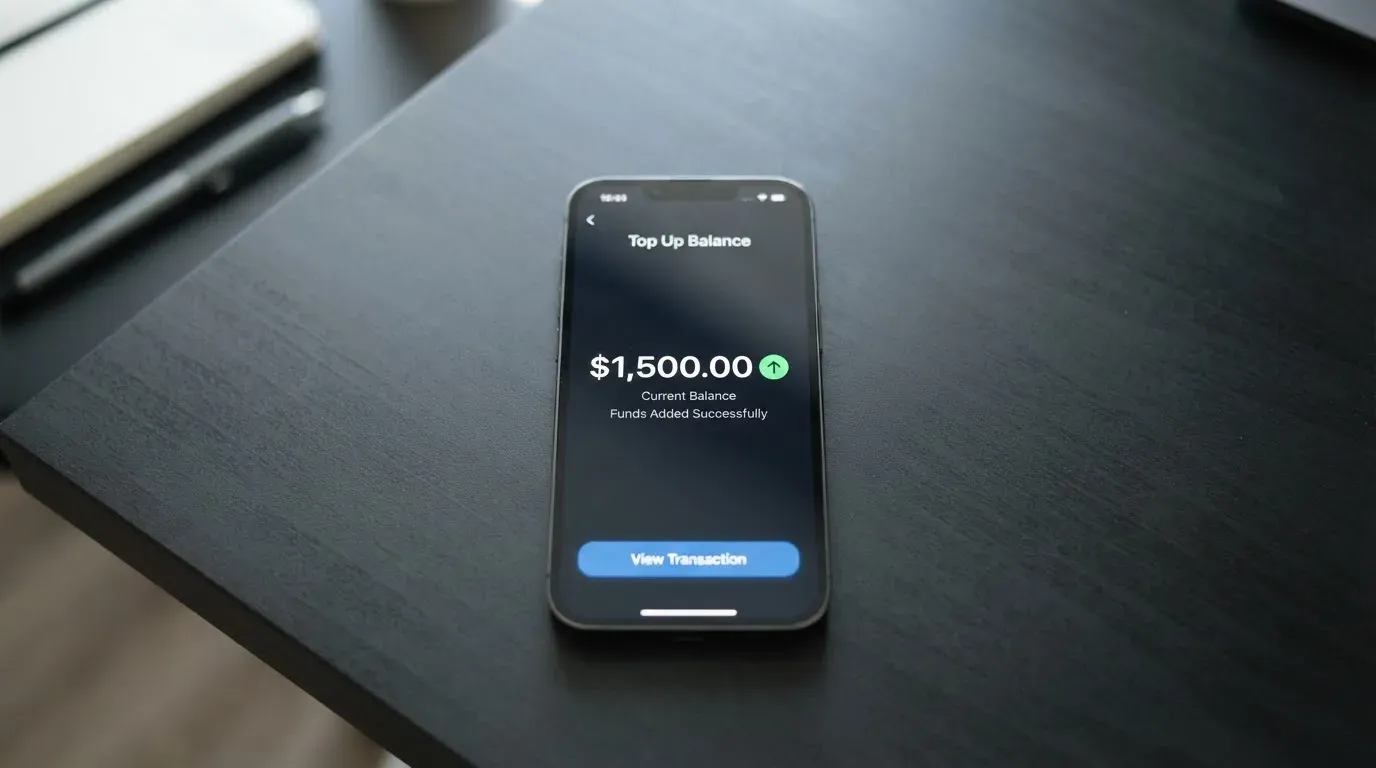
The escrow is self-custodial. Your wallet owns the contract, you can withdraw any unspent balance back to your wallet at any time, and the provider can only withdraw funds tied to actual spend charges. There is no top-up fee and no fee to withdraw back to your wallet. The minimum top-up is not stated officially; an unofficial source gives $1 as the floor and 2–7 minutes as the typical arrival time, but treat that as unofficial.
If you want to fund with anything other than USDC, the official material is silent. Unofficial coverage describes an auto-swap feature called Relay that lets you send any token on EVM L2 networks or Solana, and the system swaps it into USDC before loading the card. That is convenient, but it is a third-party route and is not confirmed by Avici. The swap adds a spread, and you are exposed to the swap route and its fees in addition to any on-chain gas.
A few practical checks before you send your first deposit:
- Network matters. If you hold USDC on a network Avici does not support, your deposit will not arrive and may need manual recovery, which is not guaranteed. Confirm the supported network in the app, not on a third-party blog, before you send.
- Gas is on you. On-chain network fees for the deposit are paid by your wallet, not by Avici, and they vary by network and congestion.
- The 1–2 day liquidation is not the same as your balance being spent. Your card balance updates as the contract is funded; the liquidation is what pays the merchant in fiat.
Paying with Avici every day
The everyday mechanics are the strongest part of the product. You get a virtual or physical Visa, you can add the virtual card to Apple Pay or Google Pay, and you can tap to pay. The card is also designed to work with a self-custody setup, using passkeys and account abstraction, so the experience is closer to a modern wallet than a legacy bank app.
The perks are framed as travel-style benefits: airline miles, rental car insurance, travel and restaurant perks, and trip protection. The cashback rate is not stated, and the docs reference something called “Avenue to TradeFI rewards” without giving numbers, so I would not buy the card for cashback. App store ratings are also not stated, and the homepage only links “Download App” through a shortlink, which is a small transparency point against Avici.
The categories where your card will not work are not in the official material. Unofficial coverage says gambling, illegal drugs and financial institutions are blocked, with the last needing extra approval. The official docs do not list the MCC blocks, so do not rely on the unofficial list for anything that matters to you.
The dispute process is the part I would watch most carefully. The only dispute path in the public material is for the specific case where you pay for the card but do not pass verification, in which case you contact in-app support for a refund. There is no published process for chargebacks, goods not received, or fraud, and the security page does not cover the dispute flow. If a charge turns out to be fraudulent, you are in territory that is not documented, and that is worth weighing against the card’s other strengths.
A short list of what everyday use looks like in practice:
- Tap to pay with a phone wallet, or insert the physical card. Both work, the contactless experience is what the app is built for.
- Freeze the card temporarily, or cancel it permanently, from the app. You can also set a per-card spending limit, change the PIN, and show or hide the card details.
- 3-D Secure will be requested by some online merchants, and your bank authentication will be the in-app flow. That is the same as any other Visa.
What can go wrong
The risks here are not dramatic, but they are real, and the official pages are quiet about most of them.
The company. Avici Inc. is registered at 300 4th St, San Francisco, CA 94107. The docs name “Third National” as a party to the loan contract structure, but they do not say that Third National issues the card, sponsors the BIN or holds any particular licence. An unofficial source says the issuing partner is Rain and that KYC data is shared with it. The public documents do not confirm this. If you are the kind of person who needs a regulator’s name on the page before you sign up, Avici is not yet that product.
Complaints. The Trustpilot score is 3.5 from 5 reviews, which is a very small sample. The one that stuck with me is a 31 March 2026 review from a business-account user: an incoming payment of 20,000 EUR was credited and then blocked, the account was restricted, and support did not respond, with no refund. A January 2026 review reports a repeated login error at the email/authenticator step. These are individual cases, not a pattern, but they match a wider truth in the category: when an account is restricted, the user often has limited recourse.
Security. The self-custodial escrow is a real security feature. Your crypto sits in a contract your wallet controls until the moment of spend, and neither Third National, Avici nor Visa can move it. In the app you can freeze the card, cancel it permanently, set per-card spending limits, change the PIN and show or hide the card details. 2FA and passkeys are mentioned, but the security page does not list insurance or specific authentication standards.
News and policy. The Prohibitions page was last updated on 19 August 2025, the Card Terms of Service on 23 June 2025, and the Business Program Terms on 16 October 2025. There is no incident disclosure on the official side, and the docs index lists additional products (Business Cards, Credit Line, Markets, Grow) that are outside this review.
A short list of what to check before you put a meaningful balance in:
- Whether your residence and your citizenship both pass the published rules.
- Whether the BIN country on your card will cause friction with merchants in your home country. A US BIN in a Latin American shop can look foreign, and some merchants decline.
- Whether your activity will look “unusual” to the AML monitoring. Large, one-off credits, rapid cycling of funds, and high-risk MCCs are common tripwires.
- The support channel. The docs name only in-app support. If the in-app support is silent, you have no published escalation path.
What to take instead
Avici is not a perfect fit for everyone, and the alternatives are not interchangeable. I want to walk through three other crypto cards from the same broad category, so you can see where each one makes sense and where it does not. The detail I give here is what the providers publish; I am not endorsing any of them, and you should confirm the current numbers before you sign up.
BloFin Wallet Card
The BloFin Wallet Card is a Visa Platinum that is at least nominally available in 35 countries including the US, Australia, Japan, the UAE, Brazil, Mexico, Malaysia and New Zealand. The full list is not published; the card page tells you to select your country in the app. Activation, annual, issuance and dormancy fees are $0, and cancellation is also free. The spend fee is 1.00% on VIP 0 and slides down to 0% on VIP 5, so heavy users can in principle pay no spend fee. FX is not stated. Top-up is in USDT and USDC on Arbitrum and Base. There is no cashback; instead, higher tiers get a reduced spend rate. Its overall score is 6.9 / 10. Compared to Avici, BloFin is more accessible on fees for casual users, but the spend fee structure means you pay for the privilege unless you climb the VIP ladder.
Decaf
Decaf is a Visa card available virtually worldwide for $5 and physically in the US for $10 or in the rest of the world for $90, with no annual or monthly fee. FX is whatever Visa offers, with no Decaf markup, and the conversion fee is not stated. You can fund a Decaf payment link or account details by card, bank transfer or USDC, and the app runs on Solana and Stellar. The exact coins and networks that top up the card itself are not stated. Decaf is restricted in many of the same countries Avici is, plus a list of US states (Arizona, Delaware, Georgia, Idaho, Louisiana, Maryland, Montana, Ohio, Oregon, Rhode Island, Washington, Wisconsin) and a few extras including Nigeria and Puerto Rico. Its overall score is 6.2 / 10. Compared to Avici, Decaf is cheaper to issue and easier to fund, but it is even more limited on the US side and even quieter about FX.
SafePal
SafePal is a virtual Mastercard debit card with limits given in EUR, which points to a Swiss Fiat24 account. There are no account creation or management fees, and the card issuance fee is not stated. The standard top-up fee is 0%, and the FX fee on Mastercard non-USD settlement is 1%. Refund processing costs $1 in USD/EUR/CHF and 7 CNH. Swaps include a spread, and the bank page elsewhere quotes a “as low as 0.4%” top-up tier. Funding is from 40+ blockchains, converted to USDC (default) or fiat, with transactions on Arbitrum. There is no cashback, but there are referral commissions of up to 40% of referred top-up fees and tier privileges tied to deposits, referrals and SFP staking. Its overall score is 6.2 / 10. Compared to Avici, SafePal is broader on funding coins and has a clear European footprint via the Swiss account, but its reward structure is referral-driven rather than cashback.
If Avici does not fit, the rough logic is:
- If you want the cheapest issuance and live in the US, Decaf is the most direct alternative.
- If you want the broadest token funding, SafePal is the most flexible.
- If you want a VIP ladder that drives the spend fee to zero, BloFin is the most direct path.
Who I would recommend Avici to
Pulling the threads together, the people I would point at Avici are specific. You live in one of the 49 listed regions, including most of Latin America, the UAE, parts of East and Southeast Asia, or one of the supported US states. You already hold USDC, or you are comfortable converting to USDC before you fund the card. You want a Visa you can add to Apple Pay or Google Pay, with $0 transaction fees and 0% card-side FX, and you are happy with a self-custodial smart contract holding the underlying crypto. You are using it for everyday spending within the published per-transaction and daily limits, not for a single large purchase.
I would not point you at Avici if you are in the EU or the UK, if you need to fund with a bank transfer rather than crypto, if you expect a named regulator on the company’s page, or if your spending pattern includes large or unusual credits that might trip AML. I would also not point you at Avici if your only support channel is going to be in-app, because the published support path is thin and the small sample of user reports includes a case where support went silent.
The card does what it claims, and it does it cheaply. The transparency gaps are real, and the country list is restrictive. If you fit the audience, the score of 6.1 / 10 understates the experience; if you do not, it overstates it.
Frequently asked questions
What is the Avici card?
Avici is a Visa card that draws on a USDC balance held in a self-custodial smart contract called the Loan Escrow. When you pay, USDC is liquidated from the contract to settle the transaction in fiat, typically on a one-to-two-day cycle. The card is available in virtual and physical form, and the company behind it is Avici Inc. in San Francisco.
How does the Avici card work in practice?
You sign up, complete a Sumsub identity check, fund the card with USDC, and then spend with the virtual or physical Visa. You can add the card to Apple Pay or Google Pay, and the underlying USDC stays in the contract your wallet controls until a charge actually settles. There is no fiat top-up, and there is no transaction fee on the card side.
Is Avici a bank?
No. Avici is a programme operated by Avici Inc. in San Francisco, with “Third National” named in the documents as a party to the loan contract structure. The provider does not publish a banking licence, an e-money licence or a clear regulator on its public pages, so you should treat it as a programme manager rather than a bank.
Who owns Avici?
Avici Inc. is the named company, registered at 300 4th St, San Francisco, CA 94107. The ownership behind that entity is not disclosed on the public pages, and the role of “Third National” in the loan contract is also not described in detail. An unofficial source names Rain as the issuing partner, but Avici does not confirm that.
Is the Avici card available in my country?
It is available in 49 listed regions, including Argentina, Australia, Brazil, Japan, Mexico, Singapore, Thailand, the UAE, South Africa and the United States. It is not available if you live in Mainland China, Cuba, India, Iran, Iraq, Israel, Myanmar, Nepal, Nicaragua, North Korea, Syria, Turkey, Venezuela or Vietnam, and there is no EU, UK, Georgia, Serbia, Armenia or Kazakhstan on the accepted list. US residents are subject to a supported-states list, so check yours.
How do I get an Avici card?
You download the app, sign up with email, complete a Sumsub verification with personal details, an ID document and a liveness check, and choose a virtual or physical card. The virtual card is the fast path; the physical card ships in 3–4 weeks on standard free untracked delivery, or faster for a fee.
Does the Avici card require KYC?
Yes. KYC is a single Sumsub verification after email sign-up, covering personal details, an ID document and a liveness check. The KYC data is shared with card partners, and Sumsub monitors both you and your on-chain funds for AML. Proof of address is not mentioned in the official material.
How do I top up the Avici card?
The official path is to send USDC into the Loan Escrow smart contract from your own wallet. There is no top-up fee, no minimum top-up stated officially, and no fee to withdraw unspent funds back to your wallet. Unofficial coverage describes an auto-swap for any token on EVM L2 networks or Solana, but that is a third-party route and is not confirmed by Avici.
How much does the Avici card cost to use?
Transactions are $0 and the card’s own FX markup is 0%. A virtual Platinum card is $15 for the first one and $10 for each later card, a physical Platinum is $50, and Signature is $30 the first year then $20 a year (virtual) or $75 plus $20 a year from year two (physical). Platinum ATM withdrawals are $1 + 0.65%, and Signature ATM withdrawals are $0. Visa may add a 0.4–1% cross-border fee on non-USD transactions.
Is the Avici card safe?
The escrow contract is self-custodial: your wallet owns the contract and can withdraw unspent funds, and Avici, Third National and Visa cannot move your USDC. You can freeze the card, cancel it permanently, set per-card limits, change the PIN, and use passkeys for sign-in. The gaps are around the issuer’s licence, insurance, and a published dispute or chargeback process, none of which are on the security page.
Wallet-linked cards – cryptocardselect
Content created by the «cryptocardselect» team