
A cheap virtual card for stablecoin spend, but the day-to-day fit is weak
 Available in US
If you hold USDT or USDC and want a plain Visa to pay with online, the Eversend card does the basic job at a genuinely low price: loading the card is free, and the two plan options are USD 0.99 to create for the first month or USD 2.99 once. But the fit for daily life is poor. It is a virtual card only, it cannot be added to Apple Pay, and the countries where you can actually hold it are not published. Those three things decide how useful the card feels once you start living with it.
The conditions described here are current as of October 28, 2026.
Verdict: what this card scores and who it fits
My score is 5.2 out of 10. It is not a bad card in the way a broken card is bad. It does one job cheaply — turning stablecoins into a spendable USD balance on a Visa number — and it does that job cleanly. What it does not do is the rest of what people expect from a card you carry every day. So the number lands in the middle: strong on funding, weak on everyday use, thin on cost because a few unavoidable fees sit on top of a cheap monthly price.
| Criterion | Score | Why |
|---|---|---|
| Who can get it | 5 / 10 | Identity verification “wherever Eversend is available”, but the country list for the card is not published, and payments to merchants in some listed countries “may be declined by our card partner”. |
| Cost | 3 / 10 | Creation is USD 0.99 for the first month or USD 2.99 once, and funding the card is free, but non-USD payments carry 3.5% + USD 0.50 and a decline for insufficient funds costs USD 0.40. |
| Top-up options | 9 / 10 | USDT and USDC from any wallet or exchange, on USDT via TRC-20, ERC-20, SPL, POL and BEP-20, and USDC via TRC-20, ERC-20, SPL, BASE, XLM, POL and BEP-20. |
| Reliability and complaints | 7 / 10 | Regulated entities under the Bank of Uganda, FINTRAC and FinCEN, assets with Fireblocks; Trustpilot sits at 4.2 from 866 reviews with complaints about stuck funds and quiet support. |
| Everyday use | 3 / 10 | Virtual Visa only, Apple Pay is ruled out, Google Wallet support is not guaranteed, and no ATM or physical card is described. |
The audience this suits is narrow and specific: stablecoin holders who want a cheap card for online payments and who can live with a virtual number and a USD-only balance. If that is you, the funding and price are pleasant. If you want to tap for coffee, pull cash, or add the card to your phone, this is the wrong card and you will feel that on day one.
Will they give you the card?
Yes, in principle — identity verification is described as happening “wherever Eversend is available”. But here is the honest problem: Eversend does not publish a list of card countries. So the real question “can I get the Eversend card in my country?” cannot be answered from the company’s public pages. What the pages do tell you is that if you are elsewhere, some payments will fail — and that is a separate rule from who can hold the account. You can have an Eversend account and still find certain merchants declining the card at checkout.
Two further points help you picture the setup:
- The card can sit in a personal account or a business account.
- There is a separate merchant rule: payments to merchants based in a listed country “may be declined by our card partner”, and that list includes Belarus and the Russian Federation, along with Ukraine, Iran, North Korea, Kyrgyzstan, Uzbekistan, Tajikistan, Turkmenistan and others. The help page says this limits use of the card, not the opening of an account.
For you as a reader, that means check your own country against their support before you move money, and do not treat “I can open an account” as “I can pay everywhere”. Whether a card is issued to you and whether a given payment is accepted are two separate decisions here.
How to get it
The process is short and it starts in the app. Download the app and confirm your identity a single time. The card company describes documents, proof of address and age requirements as not stated on its public pages, so do not assume you know in advance which papers you will need; that part is worth confirming with support in your own situation.
The steps as given are: verify your identity in the app, deposit stablecoins, create and fund the card. Personal accounts can hold up to three active virtual cards; business accounts are not capped that way. You can create more than one card, and the description even suggests one card per merchant, so you can keep spending separate streams apart if that suits how you shop. You can freeze or delete a card in the app.
One thing I would flag from the reader’s side: cards may be deactivated or deleted for the reasons set out in a help article, and the company does not publish a KYC level list for the card specifically. Identity checks in this industry are ongoing rather than one-off, so treat the “once” in “confirm your identity a single time” as the start of a relationship, not the end of it. If you plan to hold a meaningful balance on the card, read that help article before you load it.
What it really costs: the Fees breakdown
The headline price is genuinely low. The catch is that it is a USD card, so every non-USD purchase carries a cross-currency fee, and that fee is the number that will decide whether the card is cheap for you.

There are two plans:
- Monthly: USD 0.99 to create, which covers the first month, then charged monthly.
- One-time (lifetime): USD 2.99 once, “no monthly fees after that”.
| Fee or limit | Amount or value |
|---|---|
| Card creation (monthly plan) | USD 0.99, covering the first month |
| Monthly fee (monthly plan) | USD 0.99 per month after the first |
| One-time plan | USD 2.99 once, no monthly fees after that |
| FX / international fee | 3.5% of the amount + USD 0.50 on non-USD payments, and on USD payments settled outside the United States |
| Decline fee (insufficient funds) | USD 0.40 |
| Funding the card | Free |
| ATM | not stated |
| Currency | USD only; the card has its own USD balance separate from wallets |
| Limit per top-up attempt | USD 2,500 |
| Limit per transaction | USD 2,500; larger transactions “may be subject to additional compliance review” |
Now let three everyday payments show you which fees actually apply.
- You pay a US subscription in USD, settled inside the United States. This is the clean case: no cross-currency fee on this card, because the fee applies to non-USD payments and to USD payments settled outside the United States. Your cost is whatever the plan already covers, which is why the 0.99 or 2.99 price is a real number and not just a teaser.
- You pay a European shop in EUR. Your card converts, and the 3.5% plus USD 0.50 lands on you on top of whatever spread the conversion itself carries. On a large monthly software bill, that fixed fee is small but the percentage is not, and it recurs every month.
- A payment bounces because your USD balance was a little short. That declined payment costs USD 0.40. On a card you might top up in small amounts, a few such declines in a month are a real line item — this is the one fee that penalises you for being under rather than over.
Two details from the company’s pages that catch the eye: the one-time plan lets you skip monthly fees forever after a single payment, and you can upgrade from the subscription to the one-time plan later. If you expect to keep the card for more than a few months, the lifetime plan is the cheaper shape.
The card’s balance is USD only and separate from your wallets. That separation is easy to forget until you spend from the wrong pot in your head; it also means the card is never overdrawn, because it can only draw on money already in its own balance.
How to top up
Topping up is where this card is at its best. You deposit USDT or USDC from any wallet or exchange into your Eversend balance — the company says this settles in minutes — and then fund the card from that balance. Funding the card itself is free. The initial load minimum is USD 1, with the smallest total debit of USD 1.99 on the monthly plan or USD 3.99 on the one-time plan.
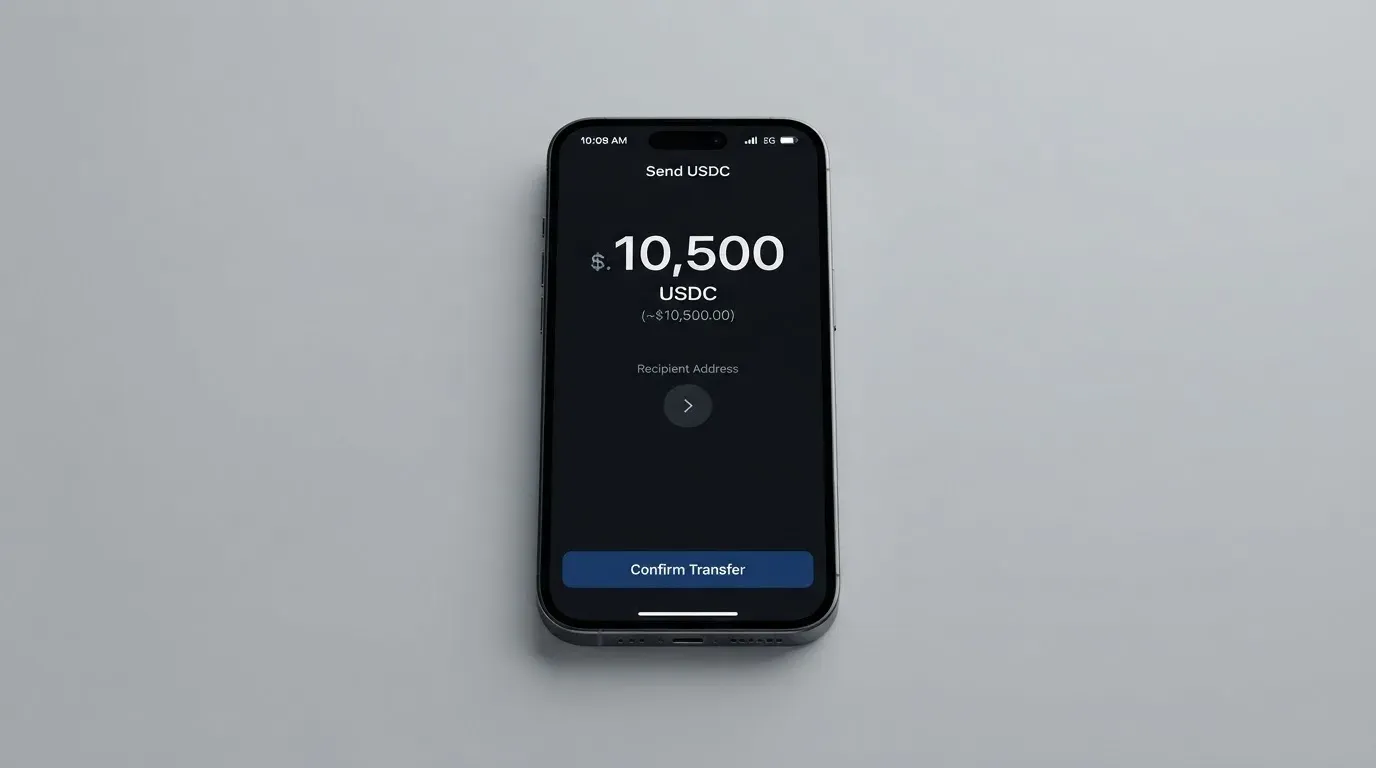
The catch is the network fee for the deposit itself, and that is set by the blockchain rather than by the card. So which coin and which network you choose changes the cost of getting your money in:
| Coin | Network | Deposit network fee |
|---|---|---|
| USDT | TRC-20 | $4 |
| USDT | ERC-20 | $8 |
| USDT | SPL | $1 |
| USDT | POL | $0.30 |
| USDT | BEP-20 | $0.30 |
| USDC | TRC-20 | $4 |
| USDC | ERC-20 | $6 |
| USDC | SPL | $1 |
| USDC | BASE | $0.10 |
| USDC | XLM | $1 |
| USDC | POL | $0.30 |
| USDC | BEP-20 | $0.30 |
Read that table as a decision, not a menu. Sending USDT on ERC-20 to top up a card you will use for small online payments costs $8 in network fees; sending the same value on POL or BEP-20 costs $0.30. Pick the network with the smallest fee that you can actually use reliably. And remember the network has to be one the provider supports for that coin — sending on an unsupported network or to an address of another network can be lost or need manual recovery with no guarantee.
One asymmetry to keep in mind: the balance you withdraw from the card must leave USD 5 on the card. You can withdraw any amount above that USD 5. To take everything, delete the card, and the balance moves to your USD wallet within 24 hours. Withdrawals to wallet are free. The wallet balance can also go out to mobile money or banks in 10 African countries, though fiat top-up for the card itself is not described on the public pages.
Paying with it every day
This is the section where the score drops hardest, and it is worth being plain about why. The card is a virtual Visa in USD. There is no physical card. You can create several, freeze or delete any of them in the app, and use them online. What you cannot do is add them to Apple Pay — the company’s own words are that Eversend virtual cards “cannot be added to Apple Pay”. Google Wallet is possible but not promised: digital wallet compatibility “is not guaranteed”. That single Apple Pay line is the difference between a card that lives in your pocket and a card that lives in a browser, and for most people it is the whole daily-use question.
Second, not every shop will take it. The company lists restricted merchant categories, and they include money transfer (4829), telemarketing (5966), crypto and foreign currency (6051 — which covers Coinbase and Binance), brokers (6211), dating (7273), massage (7297) and betting (7995, with 7800–7802 US only). So if part of your spending is with exchanges or betting sites, this card will decline there by policy.
A few more everyday realities, so you are not surprised:
- There is no ATM statement: the card is described as virtual and for online use, so treat cash withdrawal as not available.
- Card spending is in USD. If you travel and pay in another currency, that is where the 3.5% + USD 0.50 comes back.
- If you hold several cards, you can set up one per merchant, which is useful for subscriptions you might want to freeze independently.
- Nothing is said about cashback.
The practical shape, then: this is a card for paying a bill or buying something online with stablecoin you already hold, in dollars, with the number typed into a checkout. It is not a card for the counter, the ATM or the tap terminal.
What can go wrong
Two kinds of risk sit here, and I want to separate them clearly.
The first is the ordinary crypto-card risk, and it is worth knowing even if nothing has gone wrong. Customer assets are secured with Fireblocks, funds are held in safeguarded, segregated accounts, encryption is 256-bit and 2FA is offered, and you can freeze and unfreeze the card in the app. That is a reasonable stack. But safeguarded and segregated accounts are not a bank deposit; the company says these funds are not covered by deposit protection. Segregated also means they are held by a custodian, not by you — so the standing warnings about custodial platforms apply: exchanges and custodians have a real history of failure, and blockchain transfers are generally irreversible with no built-in way to freeze or return a stolen amount.
The second kind is complaint-shaped, and I would not skip it. Trustpilot shows 4.2 out of 5 from 866 reviews, read on 2026-10-21, and the company replied to 14% of negative reviews. The themes in those reviews are stuck funds and unresponsive support. One user report describes a merchant refund not reflected in the available balance with no reply (Sep 4), being logged out with funds inaccessible (Sep 24), and money disappearing after linking the card to Google Play (Sep 27). Separately, and to be fair, no official incident was found — but a pattern of “my money is stuck and nobody is answering” is the pattern that matters when you are deciding whether to leave a balance sitting here.
On the company side, the regulatory picture is real and worth reading carefully, because it is also how you tell a regulated firm from a name. Cogni Labs Ltd is authorised by the Bank of Uganda as a Payment Systems Operator (PSO 53/26), a Payment Service Provider and E-Money Issuer (PSP 35/26), and an Issuer of Payment Instruments (IPI 07/26). Eversend Tech Ltd is registered with FINTRAC in Canada (M21306189) as an MSB, and Eversend Inc. is registered with FinCEN in the US (31000260352270). Offices are in London, New York, Kampala and Lagos, and the business has operated since 2019. It is also authorised for inbound and outbound remittance in Kenya and inbound remittance in Zambia. Note the licence numbers carry 2026 suffixes, and note what is not named: the card issuer and BIN sponsor are not named on the public pages.
If something does go wrong on a transaction, the process as described is to contact support with the last four digits of the card, the amount, the date and the merchant. You can freeze or delete the card while it is investigated, and the remaining balance returns to the USD wallet. What is not given is any timeline for the investigation or the refund — no promise of how long, which for someone whose balance is stuck is the hardest part to accept.
Support itself is through the app and official channels, with a help centre in English and French. Hours are not stated, so if you are somewhere where you need a person at a particular hour, that is a question to ask before you rely on it.
What to take instead
If Eversend’s gaps bother you — no Apple Pay, virtual only, unclear country list — the honest question is what you are actually missing. If it is a wallet that turns crypto into a spendable balance, there are other shapes of the same product. The four below are the closest comparisons; none of them is a slam dunk either, and each has its own unstated corners.
- Whop Cards (score 5.2). Works for consumers in 31 US states and businesses in 41, with unsupported consumer countries including Belarus, China (Mainland), Cuba, Hong Kong, India, Iran, Iraq, Israel, Myanmar, Nepal, Nicaragua, North Korea, Russia, Syria, Turkey, Ukraine, Venezuela and Vietnam. It is a Visa that works anywhere Visa is taken online and in stores, and the page says “No extra fees” with no amounts listed. It spends from a Whop balance backed by stablecoin collateral from a linked wallet, and offers 5% cashback at select merchants, currently Uber. Coins and networks are not stated, and the basis (citizenship or residence) is not stated either.
- Stella (score 6.5). Official site does not state countries; the terms bar users under economic sanctions programmes and route US and European users through affiliates. It offers both virtual and physical cards, works at “over 40 million VISA merchants globally”, and tops up automatically when you deposit crypto into a custodial in-app wallet. Fees are “described under this User Agreement and/or on the App”, with no amounts given officially, and no cashback is stated on the card page.
- UniFi Card (score 4.7). Described as a “Prepaid Debit Visa Card” issued by Lead Bank, in USD, with Apple Pay support in the app. Not confirmed from official pages; the App Store lists send-money routes to the Philippines, Mexico, the eurozone and mentions Colombia, Brazil and the UK. You can receive funds by ACH, wire, SEPA or SPEI, or get paid to a USDC wallet. Fees “may apply”; the listing claims 3% rewards on balances, but card cashback is not stated.
If you want a physical card, Stella is the one here that plainly offers one. If you want Apple Pay on your phone, UniFi says it supports it. If you want a wider cash-out network, UniFi’s ACH/wire/SEPA routes and Eversend’s mobile-money reach in 10 African countries are different footprints aimed at different users. What none of these fix is the underlying lesson: a crypto card is a payment service plus a crypto service under two different licences, and the card you hold says nothing about who is holding your funds.
Who I would recommend it to
I would recommend the Eversend card to a stablecoin holder who is online most of the time, spends in dollars, pays a handful of subscriptions or services, and wants the cheapest sensible way to turn USDT or USDC into a Visa number — someone who is content to type the card into a checkout, pick a cheap network to deposit on, and keep only what they can afford to have sitting there for a moment.
I would not recommend it to you if any of these are true:
- You tap to pay in person or want the card in Apple Pay. That door is closed by the card’s own design.
- You need cash from an ATM.
- You need to know for certain you can get the card in your country, because the list is not published.
- You spend at crypto exchanges, brokers, telemarketing or betting merchants, which are restricted.
- You would be leaving a large balance parked, given the complaints about stuck funds and support silence.
- You are sensitive to a 3.5% + USD 0.50 charge on non-USD payments, which is most of the world outside the United States.
For everyone else, the funding and pricing are good enough that Eversend is worth an afternoon of setup — but treat it as one tool with clear edges, not as your only card.
Frequently asked questions
What is the Eversend card?
It is a virtual Visa card in USD that spends from your stablecoin balance. You load USDT or USDC into Eversend, then fund the card. It is virtual-only, so you use the number online rather than physically. As a USD-denominated card, spending in other currencies carries a cross-currency fee.
How does the Eversend card work?
Verify your identity in the app, deposit stablecoins, and fund the card from your Eversend balance. Deposits settle in minutes and funding is free. At checkout, you enter the card’s Visa number. The card draws only on its own balance, so you cannot overdraw, and you can freeze it in the app.
Is Eversend a bank?
The group comprises regulated entities, not one bank: Cogni Labs Ltd is authorised by the Bank of Uganda as a Payment Systems Operator, a Payment Service Provider and E-Money Issuer, and an Issuer of Payment Instruments. Eversend Tech Ltd is registered with FINTRAC in Canada, and Eversend Inc. with FinCEN in the US. Funds are in safeguarded, segregated accounts, which are not bank deposits.
Does the Eversend card require KYC?
Yes. You confirm your identity once in the app, “wherever Eversend is available”. Exact documents and age requirements are not stated, so check with support for your situation. Treat this as the start of an ongoing relationship rather than a one-off, as accounts can be reviewed or deactivated later.
Is the Eversend card free?
Nearly. You pay USD 0.99 to create (covering the first month), then monthly, or USD 2.99 once for lifetime access. Funding the card is free. The main costs are the 3.5% + USD 0.50 fee on non-USD payments, a USD 0.40 decline fee, and the blockchain network fee for your deposits.
Can I add the Eversend card to Apple Wallet?
No. Eversend states directly that virtual cards “cannot be added to Apple Pay”. Google Wallet is possible but not guaranteed. Plan on typing the card number into websites rather than tapping it on a terminal. The card is built for online use, not for use in a physical wallet.
Where can I use the Eversend card?
Anywhere a USD Visa is accepted online, with two limits. Payments to merchants based in certain listed countries may be declined, and the card restricts several merchant categories, including money transfer, telemarketing, crypto, foreign currency, brokers, dating, massage and betting. Cash at ATMs is not supported, so do not count on it.
What does it cost to top up the Eversend card?
Funding the card from your balance is free. The deposit into your balance costs only the blockchain network fee, which varies: USDT is $8 on ERC-20 but $0.30 on POL or BEP-20; USDC is $6 on ERC-20 but $0.10 on BASE. The smallest initial load is USD 1.
Is the Eversend card safe?
It uses real safeguards: Fireblocks for assets, safeguarded and segregated accounts, encryption, 2FA, and instant freezes. However, these are not protected by deposit insurance. You carry custodial risk, as crypto transfers are generally irreversible and disputes have no set timeline. It is safe for its specific purpose, but not infallible.
Is the Eversend card worth it?
For stablecoin holders who only pay online and in dollars, yes: it is cheap and the funding options are excellent. It stops being worth it if you want to tap in shops, use Apple Pay, withdraw cash, or park large balances, given the complaints about stuck funds and unresponsive support.
Money-app cards – cryptocardselect
Content created by the «cryptocardselect» team