
The card that spends your own keys — and leaves the price tag blank
 Available in US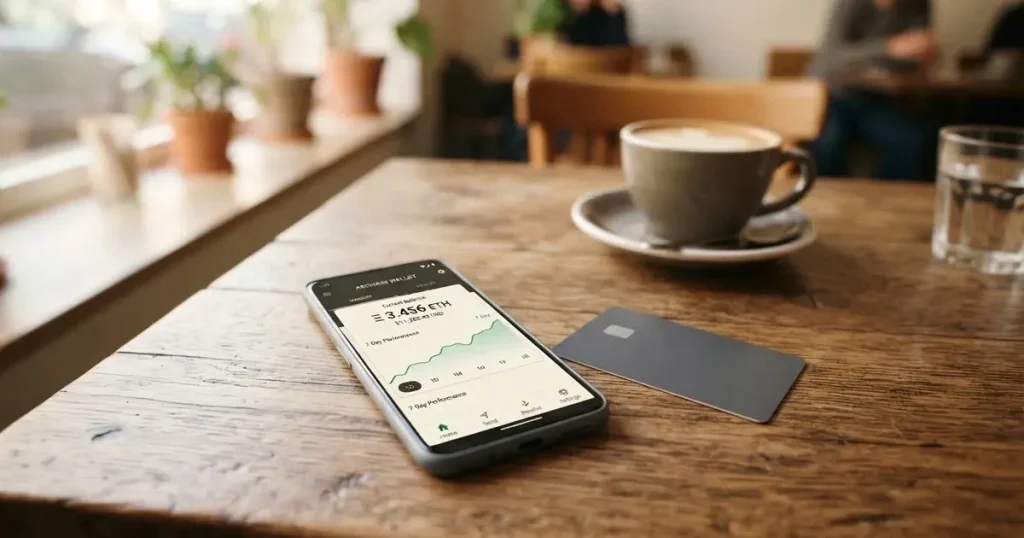
NAKA is a Visa Platinum card that spends USDT sitting in a self-custody wallet, signing each payment with your own private key. On paper that is a genuinely different design from the usual crypto card: no pooled custodial balance, no exchange account in the middle. In practice, when I read through what the card actually publishes, the feature I could not get past was the silence. Issuance cost, monthly fee, conversion spread, ATM allowance, spending ceilings — none of it is stated on the pages I read. You are asked to hold a payment instrument whose price you cannot compute. I scored it 5.1 / 10, and most of that score is the gap, not the design.
Conditions are current as of October 28, 2026.
The conditions described here are current as of October 20, 2026.
Who this is for: someone who already holds USDT on-chain, wants to spend it directly without going through an exchange, and is comfortable with the responsibility of a self-custody wallet. Who it is not for: someone who needs the total cost of a card in writing before signing up, or who wants a physical card in the post, or who is a United States citizen.
Verdict: 5.1 out of 10 — a sound idea priced in silence
The single strongest thing about NAKA is the custody model. Funds stay in your own wallet until you sign a payment; the private key never leaves the device. Compared with an exchange-branded card where a custodian holds your balance, that is a structurally better position. The card is a virtual, tokenized Visa Platinum, works with Apple Pay and Google Pay, and Apple Wallet tap-to-go is mentioned in the store listing. The company behind it is real and documented: NAKA GLOBAL, finančne tehnologije, d.o.o., Letališka cesta 33F, 1000 Ljubljana, Slovenia, registration number 8106452000, with related entities in Switzerland and El Salvador, holding ISO/IEC 27001:2022, ISO 9001:2015 and ISO 22301:2019.
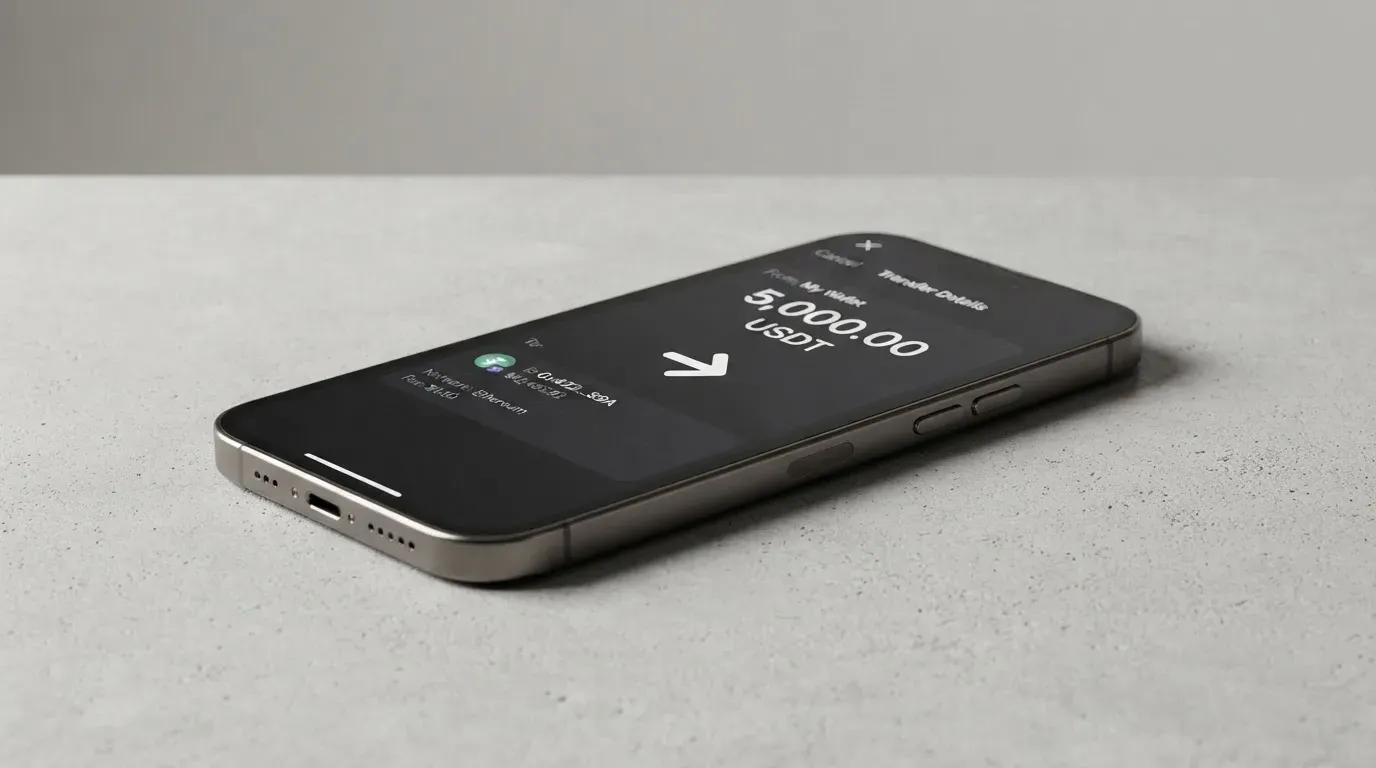
And yet. The product targets Latin America, the app is listed “worldwide” with no country list, the starting data says “not a United States citizen”, and the card issuer and its licences are not named on the pages I read. Meanwhile the pricing page describes cost as being per user rather than per transaction — which is a philosophy, not a number. Top-up scored lowest of all criteria at 3 / 10, because the app store caption accepts only USDT on Avalanche C-Chain, which is a far narrower statement than “crypto card”.
Here is the criterion-by-criterion breakdown.
| Criterion | Mark | Why |
|---|---|---|
| Who can get it | 5 / 10 | Targeted at Latin America, the app is listed “worldwide” with no country list; US citizens are turned away |
| Cost | 5 / 10 | Costs and fees are not disclosed — pricing is described as “per user”, with no figures |
| Top-up options | 3 / 10 | USDT in a self-custody wallet; the app store caption says only USDT on Avalanche C-Chain |
| Reliability and complaints | 6 / 10 | NAKA GLOBAL d.o.o. in Ljubljana with ISO/IEC 27001:2022, ISO 9001:2015, ISO 22301:2019; issuer and licences unnamed; no complaints found; App Store 5.0 from 11 ratings |
| Everyday use | 6 / 10 | Virtual tokenized Visa Platinum with Apple Pay and Google Pay; ATM mentioned without conditions |
| Total | 5.1 / 10 | A sound custody design held back by undisclosed pricing and an unnamed issuer |
A word on that App Store figure: 5.0 from eleven ratings is excellent as a number and almost meaningless as evidence. Eleven people is not a sample.
Will they give you the card?
Yes for most people; the caveats are about which entity you’re dealing with and where you are, not about a credit check. The product explicitly targets Latin America, the NAKA Pay+ app is listed as “worldwide” without a country list, and the only stated exclusion I found is the starting data reading “not a United States citizen” — so a US citizen is declined, while a US resident of another citizenship is a different question the pages do not answer. The legal documents are split by entity: NAKA Slovenia, NAKA Switzerland, and NAKA SLV, S.A. de C.V. in El Salvador, with the card’s own terms noting that the “specific provider depends on your jurisdiction and/or the product suite”. A separate US-specific card agreement also exists, which tells you the operator thought about the American market even as the starting data excludes US citizens.
Read the terms for the entity that matches your country, not the ones you find first in a search. If you are in a restricted or sanctioned jurisdiction, that is a legal matter rather than a product matter, and no card page is a substitute for your own advice.
How to get it
The route is short: install NAKA Pay+, set up your wallet, then complete “a quick KYC verification”. No bank account is required — which is the entire appeal for people who cannot open one. What the card does not publish is the detail that usually decides whether a KYC step takes ten minutes or three weeks: which documents are accepted, whether proof of address is required, what the minimum age is, and what verification tiers exist. None of that is stated. Assume the process will ask for an identity document and be pleasantly vague beyond that.
The card itself is virtual and tokenized — a Visa Platinum, marketed as accepted in over 150 million locations. There is no physical card to wait for, so delivery is not applicable. The currency the card is denominated in is not stated. If you pay in a currency other than the card’s own, some conversion happens somewhere, and you should ask what it costs before you find out.
Fees: what it really costs, and why I cannot tell you
Here is the honest answer: the public pages do not give numbers. Pricing is described as being per user rather than per transaction, without figures. Issuance cost, monthly fee, conversion spread, FX fee, ATM fee and ATM allowance — none of it is stated. Spending limits are adjustable by you in the app, but the amounts are not stated either.
| Item | What the card publishes |
|---|---|
| Issuance | Not stated |
| Monthly fee | Not stated |
| Crypto conversion | Not stated; settlement happens in USDT per the NAKA site |
| FX fee | Not stated |
| ATM | Cards work “online, in-store, and ATM use” on major networks; fee and allowance not stated |
| Daily spending limit | Adjustable in the app; amount not stated |
| Monthly spending limit | Adjustable in the app; amount not stated |
Why does that gap hurt? Because a card is a price, and the two prices you actually pay are the conversion of your crypto into spendable value and the conversion of that value into the shop’s currency. A stablecoin aims to hold a steady value against a fiat currency, but “despite the name, stablecoins are not necessarily stable” — TerraUSD collapsed in May 2022 and USDC briefly lost its peg in March 2023. If your USDT moves 2% against the dollar on the day you spend, and the conversion spread is unstated, a coffee becomes an arithmetic problem. You cannot stress-test a model when one of its inputs is unpublished.
And the ATM line deserves a second look. “Online, in-store, and ATM use” is a sentence about capability, not a contract about cost. Cash withdrawal is where spreads hide: the ATM operator’s own fee, the network’s conversion, and any per-transaction charge on your side all stack. The app description, meanwhile, is of a virtual card. If cash is part of your week, ask for the numbers in writing first.
What you should do before depositing anything: work out what the conversion costs at a known size, using a small real payment, and treat the difference between what your balance moved and what the shop charged as the true price. One coffee tells you more than any pricing page that has no numbers on it.
How to top it up
There is no top-up in the traditional sense, and that is the concept you have to unlearn. You hold USDT in a self-custodial on-chain wallet, and each payment is “settled via smart-contract signature” — you sign, the chain settles, the merchant gets paid. Money does not arrive on a card balance you fund; it leaves a wallet you control at the moment you authorise a purchase.
What that means in practice:
- Network choice is not cosmetic. The app store caption says only USDT on the Avalanche C-Chain is accepted. Send USDT on any other network and it is not the same asset to the card.
- Blockchain transfers are irreversible. A deposit to a network the provider does not support, or to an address belonging to a different network, can be lost or need manual recovery with no guarantee.
- On-chain network fees are the chain’s, not the card’s. Gas or bandwidth for your transfer is charged by the blockchain.
- Gas needs the network’s own token. On Ethereum, fees are paid in ETH, so a wallet holding USDT but no ETH cannot send at all.
- Withdrawal is not a feature the card describes. The card’s pages say nothing about withdrawing, and the funds stay on-chain in your wallet until you sign a payment.
If you plan to hold USDT on several networks and spend whichever is convenient, check the network list against where your funds actually are before you move anything. A wrong network is not a customer-service ticket; it is a lost transaction.
Paying with it every day
The daily mechanics are the strongest part of the offer. NAKA Pay+ integrates with Apple Pay and Google Pay per its launch post, and the store listing mentions Apple Wallet tap-and-go. That means the everyday case — tapping a terminal — does not require you to argue with a card reader that has never seen a crypto BIN. Blocking categories are not stated, which cuts both ways: you may have wider spending freedom, or you may meet a decline at a specific merchant with no prior warning.
Rewards are not stated for the card. The blog mentions “programmable rewards” as a partner feature, which sounds like something a partner brand can configure rather than something you get as a holder.
On the app itself: NAKA Pay+, developer NAKA GLOBAL d.o.o., version 2.2, App Store 5.0 from 11 ratings, per a third-party report from mwm.ai read on 2026-10-21; a Google Play listing exists but its rating was not obtained. Disputes are not covered in what I read — “NAKA Spend Card Terms” exist as a document but I did not read them, and I would before I rely on a chargeback path.
Some everyday disappointments are structural rather than NAKA’s fault. A merchant category code is a four-digit code classifying a business, and many issuers block categories such as gambling (MCC 7995) by policy rather than law, with the list varying by issuer. Address verification compares numeric parts of your billing address and is mainly offered in the US, Canada and the UK, and is generally unavailable for foreign-issued cards — which can cause declines. Some shops decline prepaid or foreign-issued cards because a BIN lookup reveals the card type and the issuer country. And a declined authorisation can leave a hold on funds for several days, typically up to seven.
None of that makes the card bad. It makes it a card to keep a second one alongside.
What can go wrong
Start with the key, because in the self-custody model it is the single point of failure. Every single transaction requires a cryptographic signature from your private key, and the key never leaves your device — there is no shared custodial pool. That is the strength. It is also the risk: a seed phrase is typically 12 to 24 words in unencrypted form, and anyone who obtains it can restore the wallet and spend the funds. Crypto transfers are typically irreversible, and a stolen key has no recovery mechanism — the network cannot freeze or return anything. With a self-custody-linked card the funds stay in your own wallet until payment, but you bear sole responsibility for key loss, for phishing, and for clipboard-hijacking malware that silently swaps a copied address. Losing the key is not a support ticket; there is nothing behind it.
Then the market risk. Stablecoins can depeg, and your balance is denominated in USDT, settled in USDT.
Then the operational risk. The card issuer and its licences are not named on the pages I read, which means you cannot check the register for the entity that actually holds your payment programme. Programme closures are a real category of event: Visa terminated its global agreements with FTX on 13 November 2022 and the FTX US debit card was wound down by its issuer; WaveCrest, a Visa issuer that supplied crypto card brands, was suspended by Visa in Europe in 2018, closing all WaveCrest-issued Visa programmes. Closures typically follow a pattern — a notice period, then spending and loading stop, then you are asked to withdraw remaining balances. One 2026 closure reported by a secondary source had new loads end on 8 July 2026 and spending stop on 8 August 2026; that is a single unconfirmed source, but the pattern is what matters.
One reassurance, and one caution. On complaints: I searched for reviews of this card and found none — no Trustpilot page, no Reddit thread. That is not a clean record; it is an absence of a record, and it is what a product launched at a fintech event in October 2025 would look like either way. Support is a “Talk to our team” contact page on their contact page. On history: the launch post is dated 24 October 2025 in one place and the page metadata shows a conflicting 6 October 2026; first shown publicly in Lugano; the NAKA Pay+ app was first released on 9 October 2025 per a third-party report. A young product with a documentation habit that leaves fees unstated is one I would revisit in a year.
I should also be straight about what self-custody does not protect you from. Tether says it disables tokens in wallets on the OFAC sanctions list and has frozen funds tied to illicit activity, so stablecoins are not censorship-proof. And if a transaction is disputed, your protection is not self-evident: US reversal rights for debit cards come from Regulation E and credit card rights from Regulation Z, prepaid-card coverage varies and should not be assumed, and under 3-D Secure liability for fraudulent online payments can shift from the merchant to your bank.
What to take instead
If the idea of a self-custody-linked card appeals to you, the alternatives below are worth comparing on the numbers, because they publish them. Scores are from the same review process.
| Alternative | Score | Cost published? | Top-up |
|---|---|---|---|
| BloFin Wallet Card | 6.9 / 10 | Activation, annual, issuance and dormancy fees $0.00 each; spend fee 1% or lower by tier | USDT and USDC on Arbitrum and Base |
| Decaf | 6.2 / 10 | Virtual card $5 worldwide, physical $10 (US only) or $90 (rest of world); no monthly fee | Card payment link or account details by card, bank transfer or USDC |
| SafePal | 6.2 / 10 | No account or management fees; 1% FX on Mastercard non-USD settlement; top-up fee 0% standard | Crypto from 40+ blockchains, converted to USDC |
BloFin Wallet Card is the one I would look at first, because it wins on transparency rather than on concept. Its country list is not published on the card page — you select your country or region in the app — and the starting data lists 35 countries including the US, Australia, Japan, the UAE, Brazil, Mexico, Malaysia and New Zealand; whether the test is citizenship or residence is not stated. It is a “BloFin Wallet Visa Platinum card”; virtual or physical is not stated, and the card currency is not stated. The fees are clear: activation, annual, issuance and dormancy are $0.00 each and cancellation is free, while spend is charged at payment at 1% or lower by VIP tier — VIP 0 at 1.00%, VIP 1 at 0.90%, VIP 2 at 0.80%, VIP 3 at 0.50%, VIP 4 at 0.20%, VIP 5 at 0.00%. Its reward is a reduced spend rate rather than cashback (“No waiting for cashback or rebates”), and the FX fee is not stated — the gap NAKA does not have. Top up with USDT and USDC on Arbitrum and Base.
Decaf takes the opposite approach to eligibility: it names what it will not serve. Not issued in Belarus, China, North Korea, India, Iran, Iraq, Israel, Myanmar, Nepal, Russia, Syria, Turkey, Cuba, Ukraine, Venezuela, Vietnam, Nicaragua, Puerto Rico, Nigeria; restricted US states are Arizona, Delaware, Georgia, Idaho, Louisiana, Maryland, Montana, Ohio, Oregon, Rhode Island, Washington, Wisconsin. Russia and Belarus are both restricted, and whether the rule follows citizenship or residence is not stated — which matters if you hold two passports. The card is a Decaf Visa, virtual or physical with tracked delivery; the card currency is not stated. Costs are clear: $5 for a virtual card worldwide, $10 for a physical card in the US only or $90 elsewhere, and no annual or monthly fee. On FX, Decaf adds no fee and states that “the FX is the one Visa offers” — the Visa exchange rate. The crypto conversion fee is not stated. You can pay a Decaf payment link or account details by card, bank transfer or USDC, the sample balance is shown in USDC, and the app runs on Solana and Stellar; which coins and networks top up the card itself is not stated.
SafePal is the middle ground: “citizens of supported regions who live in supported areas”, and the list at its bank regions page was empty when fetched — which is its own kind of warning. It is a virtual Mastercard debit, physical not stated, with spending limits given in EUR on a Swiss Fiat24 account. There are no account creation or management fees and the card issuance fee is not stated. The fees are specific: standard top-up fee 0%, a 1% FX fee on Mastercard non-USD settlement, a refund processing fee of 1 USD/EUR/CHF or 7 CNH, and swaps that include an unquantified spread — though its bank page elsewhere advertises crypto top-up “as low as 0.4%” on the top tier. Top up from 40+ blockchains, converted to USDC by default or to fiat, on Arbitrum. No cashback; instead referral commissions up to 40% of referred top-up fees and tier privileges tied to deposits, referrals and SFP staking.
The pattern across all three: each publishes its top-up networks, which is exactly what NAKA narrows to a single chain and a single token. If the network question decides whether a card works for you, that is worth more than any headline feature.
Who I would recommend it to
I would recommend NAKA to a reader who already lives in crypto — who holds USDT on Avalanche C-Chain, who has their own wallet and their own keys, who understands that a seed phrase is the whole security model, and who wants to spend without converting to fiat in an exchange first. For that person the self-custody design is a genuine advantage and the Apple Pay and Google Pay integration makes daily use unremarkable.
I would not recommend it yet to a reader who is choosing a card rather than choosing a wallet arrangement. The costs are not published. The issuer is not named. If you cannot price the card, you cannot decide whether it is worth using, and that is the first thing a payment card owes you.
And the practical test I would apply: before you move real money, ask support three questions in writing — what the conversion costs at what size, what the ATM fee and allowance are, and which legal entity issues the card under which licence. The answers are not on the site, which means asking is how you get them. If the answers arrive quickly and clearly, that says something good about the operation. If they do not, you have your answer too.
Frequently asked questions
What is NAKA card?
NAKA is a virtual, tokenized Visa Platinum card that spends USDT held in your own self-custody wallet. Each payment is settled by a smart-contract signature you authorise, so the funds stay on-chain until you sign. It is marketed as accepted in over 150 million locations and integrates with Apple Pay and Google Pay. It is not a bank account, and the card currency is not stated.
Is NAKA a bank?
Not on the evidence I read. The company behind it is NAKA GLOBAL, finančne tehnologije, d.o.o., at Letališka cesta 33F, 1000 Ljubljana, Slovenia, registration number 8106452000, with related entities NAKA CH SAGL in Switzerland and NAKA SLV, S.A. de C.V. in El Salvador. It holds ISO/IEC 27001:2022, ISO 9001:2015 and ISO 22301:2019, but the card issuer and its licences are not named on the pages I read, so I could not tell you which institution stands behind the card.
Who owns NAKA?
The parent entity is the Ljubljana company above, and the legal documents are split across three entities depending on your jurisdiction or product suite — NAKA Slovenia, NAKA Switzerland and NAKA El Salvador, with the card terms stating the specific provider depends on where you are. A separate US-specific card agreement also exists, even though the starting data says “not a United States citizen”.
Which countries can use the NAKA card?
The product targets Latin America, and the NAKA Pay+ app is listed as “worldwide” without a country list. The one stated exclusion is US citizenship — the starting data reads “not a United States citizen”. Whether the test is citizenship or residence for other countries is not stated, so if your situation is unusual, ask before you set up a wallet.
How much does the NAKA card cost?
The public pages do not say. Pricing is described as being per user rather than per transaction, with no figures, and issuance, monthly, conversion, FX and ATM fees are all unstated. Spending limits are adjustable in the app but the amounts are not published. That is the core reason this card scored 5.1 out of 10.
Does NAKA require KYC?
Yes — a quick KYC verification after you set up your wallet in NAKA Pay+. No bank account is required. Which documents are accepted, whether proof of address is needed, the minimum age and any verification tiers are not stated, so plan for a document request rather than an instant approval.
How do I top up the NAKA card?
You do not, in the usual sense. You hold USDT in a self-custodial on-chain wallet and spend from it directly. The app store caption says only USDT on Avalanche C-Chain is accepted, so the network matters: a transfer on another network is not the same asset. Funds remain on-chain in your wallet until you sign a payment, and any withdrawal process is not stated.
Is the NAKA card safe?
The custody design is the safest part of the offer: your key signs each payment, it never leaves the device, and there is no shared custodial pool. But that same design makes you solely responsible for key loss, phishing and clipboard malware. A seed phrase is 12 to 24 words in unencrypted form, and crypto transfers are typically irreversible with no recovery mechanism. Safety here is a practice, not a promise.
Can I add NAKA to Apple Pay and Google Pay?
Yes. The launch post states integration with Apple Pay and Google Pay, and the store listing mentions Apple Wallet tap-to-go. With Apple Pay the card number is replaced by a device-specific number in the Secure Element, with a one-time dynamic code per payment. Blocked merchant categories are not stated, which may mean more freedom or a surprise decline.
Is NAKA worth it?
Worth it if you already hold USDT on Avalanche and value keeping control of your keys. Not worth committing to while the fees, the issuer and the ATM terms are unpublished. My 5.1 / 10 reflects that combination: a good idea held back by a missing price tag and a young track record, with no complaints found simply because none appear to exist yet.
Wallet-linked cards – cryptocardselect
Content created by the «cryptocardselect» team